










Skip to content
Lexoh payment kiosk enclosures being manufactured in the workshop
Parking payment

Parking payment kiosks, integrated from end to end

A parking payment kiosk lets a driver pay for a parking product or stay and receive the confirmation used by the site. Lexoh connects that transaction with configured rates, access validation and operating records, and plans the equipment, installation and assistance around the payment journey.

Operating design

Design the payment journey before selecting the kiosk

Choose the payment model before selecting the cabinet. Pay-on-entry can suit a known product or period; paying before exit can require identifying the stay and calculating the applicable charge. The project must also define receipts, payment exceptions and what happens between payment and departure. Compare the kiosk systems with the parking management platform so hardware selection follows the approved operating process.

01

Site-specific rate structure

Set periods and user products around the way the facility actually operates.

02

Payment tied to access

Associate the transaction with the ticket, plate, code or account used at the lane.

03

Guided interaction

Show the driver only the instructions needed to complete the transaction.

04

Transaction follow-up

Give staff the events needed to answer a customer question or reconcile activity.

05

Exception handling

Define lost-ticket, validation, cancellation and assistance cases before launch.

06

Outdoor deployment

Plan foundations, protection, power and communications for the kiosk location.

Decision path

From a configured rate to an authorized exit

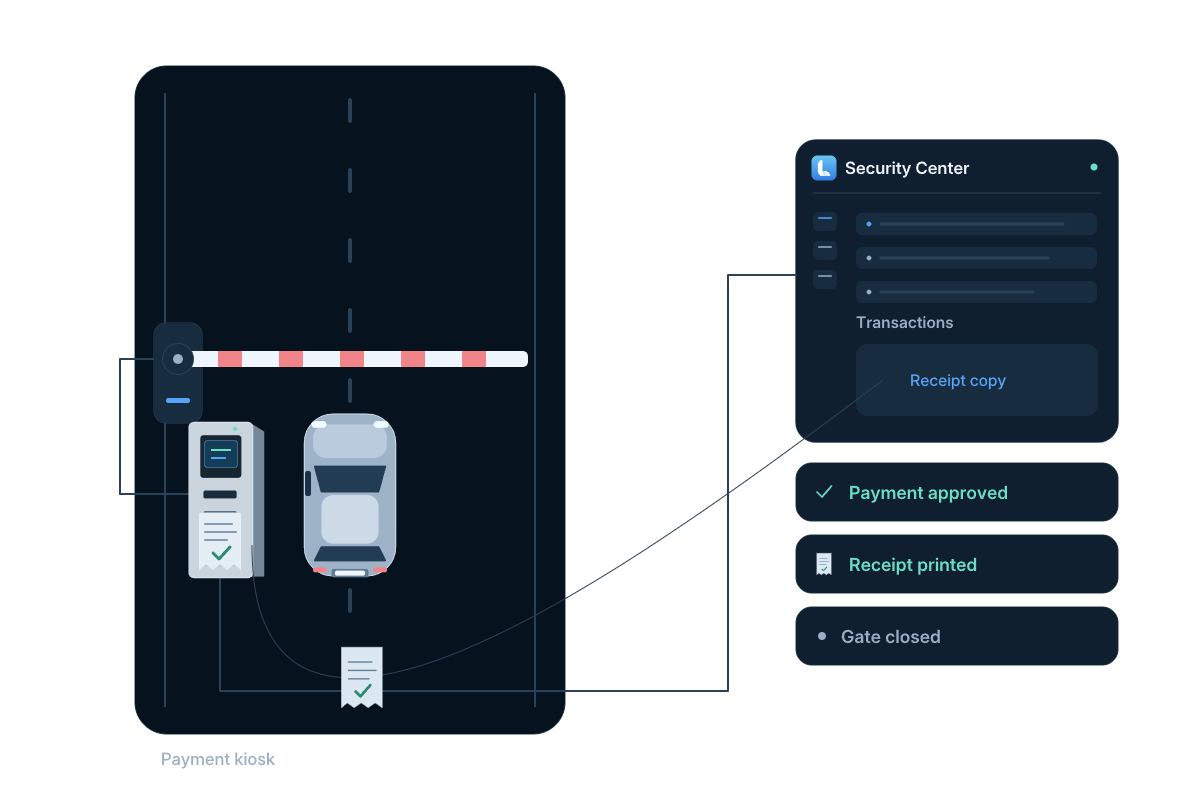
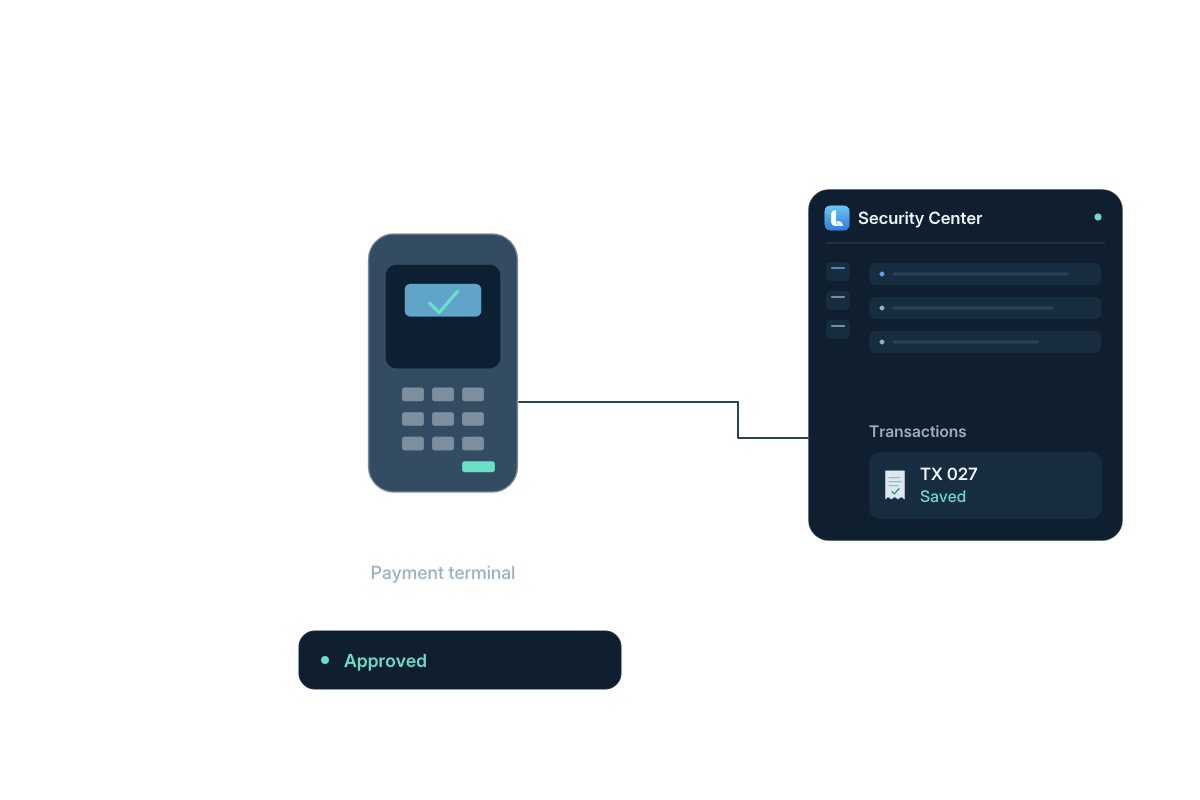
The driver identifies the stay or parking product, checks the amount, completes the configured payment and receives the result. The lane must use the confirmed payment state, including any exit period agreed for the site.
Read workflow steps
  1. Identify

    Ticket, plate, code or account

  2. Calculate

    Applicable rate rule

  3. Pay

    Guided kiosk transaction

  4. Validate

    Access right updated

  5. Exit

    Decision sent to the lane

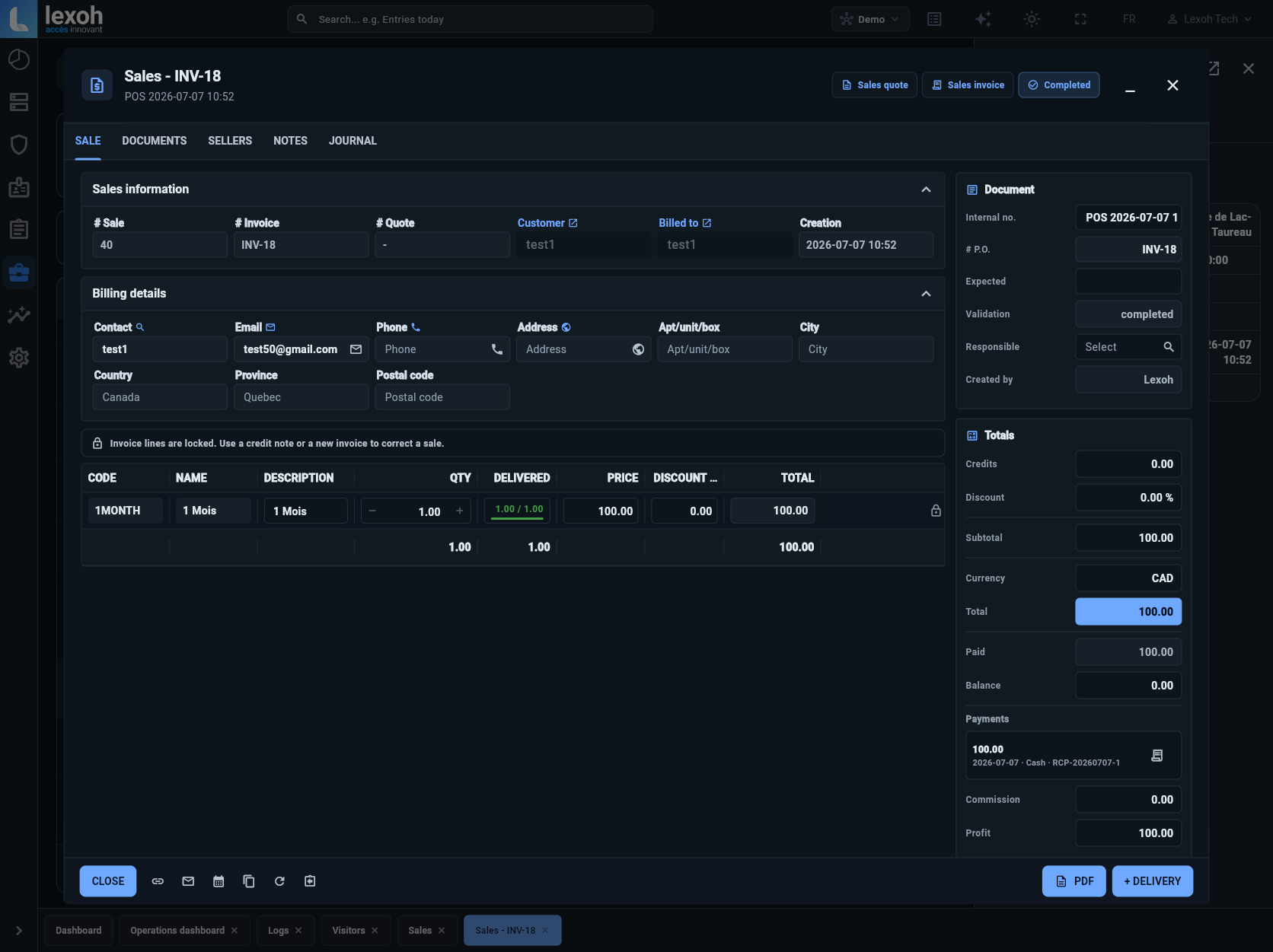
The linked Sales capture shows invoice lines, totals, amount paid, balance and payment history in the Demo account of Lexoh Security Center.

View actual Lexoh interface
Full-size image

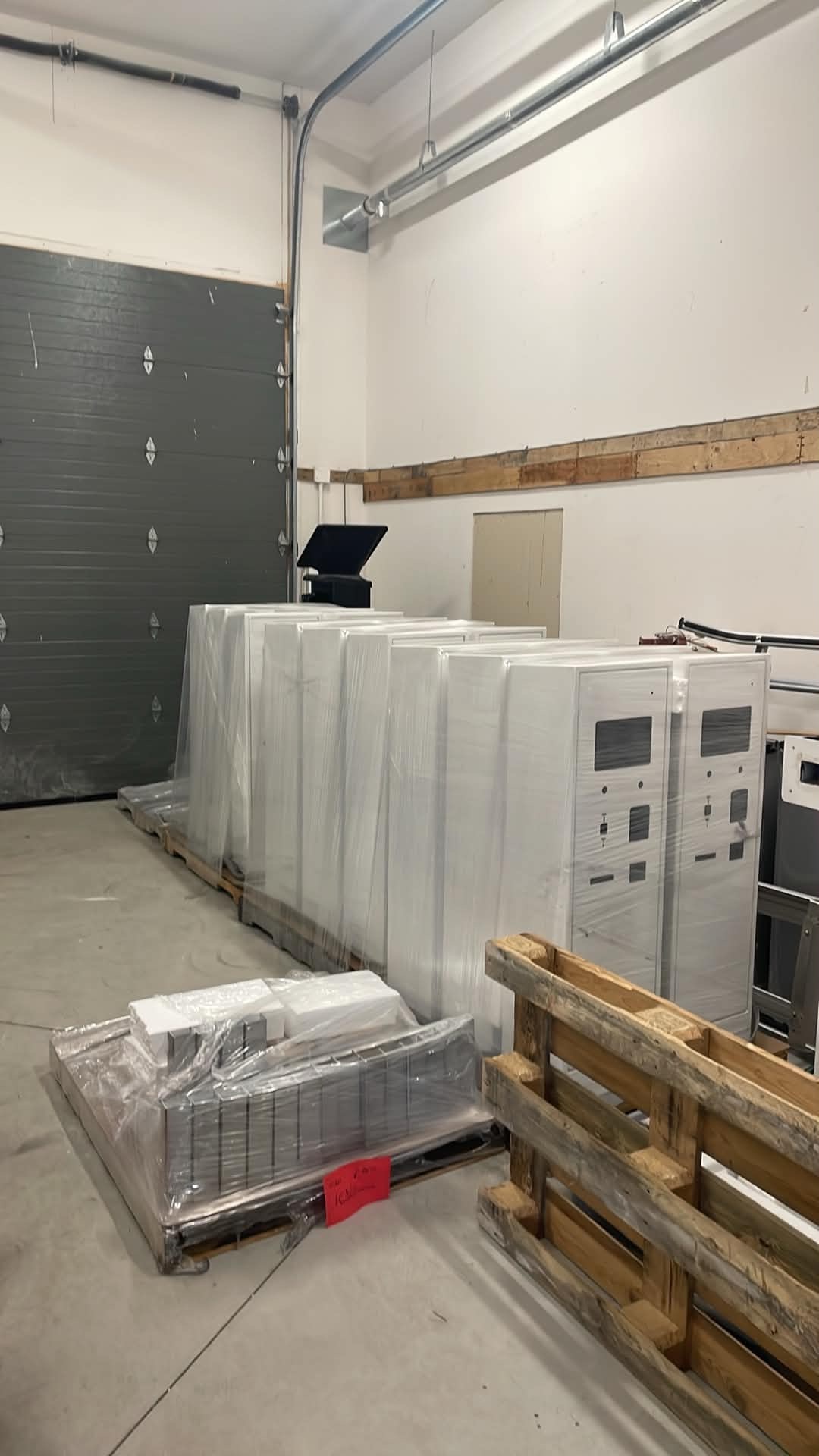
Lexoh payment kiosk enclosures being manufactured in the workshop
Lexoh kiosk enclosures being manufactured in the workshop.
On site with Lexoh

Kiosks in production

This workshop photo shows a batch of enclosures before final component integration. Screens, readers, payment hardware, communications and configuration are then adapted to the journey designed for each project.

What this changes in the project Equipment placement, civil work, communications and operating procedures are validated together before commissioning.
Turnkey delivery

What turnkey payment delivery covers

We frame the project with the staff who will run it, then coordinate the field and software work that makes payment part of the wider parking system.
  1. 01Review rates and customer categories
  2. 02Define the entry–payment–exit journey
  3. 03Select and position the kiosk
  4. 04Connect barriers, readers and the platform
  5. 05Test transactions and exception scenarios
  6. 06Train staff and document the operation
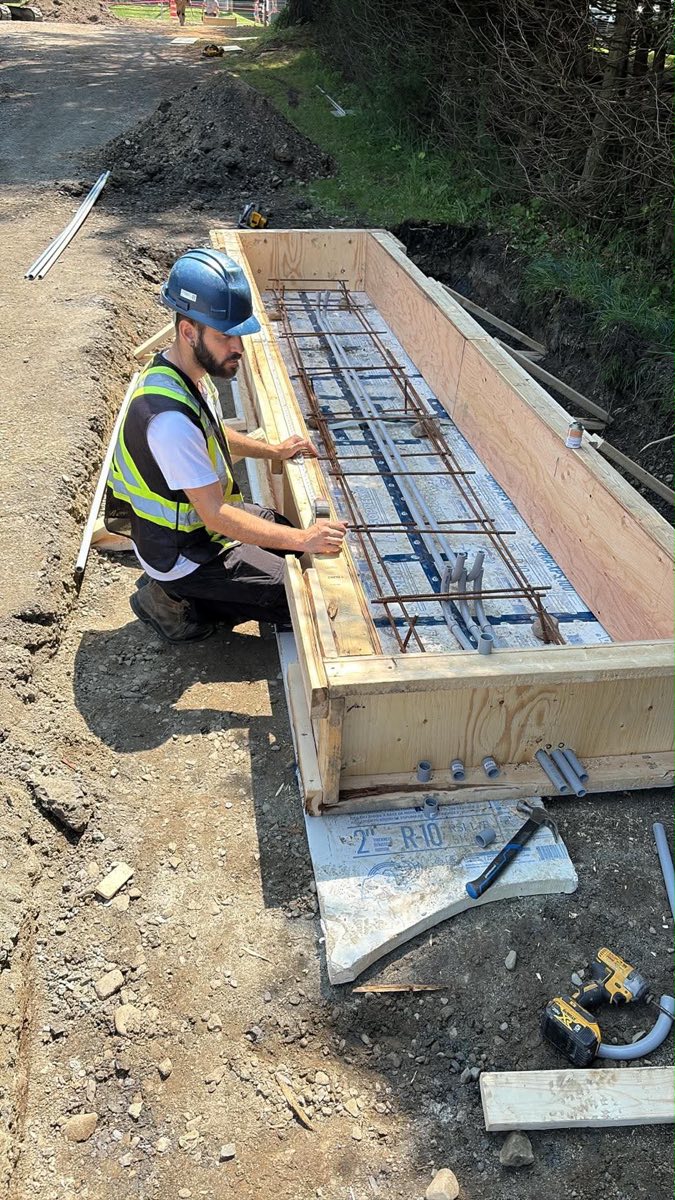
Lexoh field team preparing conduits and an equipment base on site
Real preparation for connected lane equipment.
Operating contexts

Different payment journeys for different facilities

Public parking

Self-service payment with visible instructions and rules staff can explain.

Tourism sites

Daily products, visitors and operating periods that change through the year.

Campuses and offices

A mix of subscribers, visitors and occasional validations.

Seasonal sites

Long-duration rights combined with occasional paid visits.

Before specifications

Questions to settle during design

01

Does payment happen before or after the stay?

This changes identification, exit control and lost-ticket handling.

02

How does a driver get help?

Intercom routing, visible instructions and after-hours procedures belong in the journey.

03

Where will the kiosk sit?

Traffic, accessibility, snow, drainage, bollards and connectivity all matter.

04

Which records must staff reconcile?

Agree on the required reports and ownership before configuration.

Compare the operating choices

Compare the payment journey before the kiosk model

Payment timing and the way a stay is identified are separate decisions. Confirm the supported configuration and merchant responsibilities before treating a journey as part of the offer.

Decisions to confirm for the selected site and equipment
JourneyDecision to defineException to demonstrate
Pay on entry Which product or period is purchased, and what confirms entry A transaction appears incomplete: staff establish status before asking for another payment
Pay before exit How the stay and applicable amount are found, and how exit receives the result The payment is confirmed but the exit cannot associate it with the current stay
Ticketless identification, if included Which supported plate/code/account identifies the stay without a paper ticket A changed or unread identifier requires an authorized correction or assistance
01

Illustrative receipt-to-access check

For a supported paid journey, use approved test records to associate the transaction with its stay identifier and the lane decision. Compare actual statuses before retrying payment or authorizing an adjustment.

02

Use the model documents

The LPK-128V2 and LCB-30 documents describe their respective hardware. Confirm screens, readers, payment interfaces and options for the quoted revision; an equipment sheet does not by itself establish every payment workflow.

Equipment at the entrance

Plan the LCB-30 access kiosk alongside the payment point

The Lexoh LCB-30 is a compact access kiosk for a controlled vehicle entrance. These dimensions and operating requirements help plan its position in the lane. The payment terminal and accepted payment methods belong to the selected payment configuration.

Lexoh LCB-30 access kiosk specifications
CharacteristicLCB-30 specificationInstallation planning
Dimensions Height 1330 mm × width 310 mm × depth 490 mm Allow space for the enclosure, user approach and service access; use the approved mounting plan for construction.
Power supply 110–120 V AC Coordinate the power connection, protection and cable route with the installation team.
Operating temperature −40 to +70 °C Review the location, snow clearance and access for maintenance with site operations.
Camera option Optional pinhole camera Include the camera and its intended use in the selected equipment configuration.
Build the complete system

Related parking solutions

Explore the equipment and workflows connected to your installation.

02

Automatic barriers

Design the lane, detection, safety and access decision as one system.

Automatic barriers
03

Plate recognition

Use the vehicle plate for access, permits and temporary rights.

Plate recognition
04

Parking intercom

Give operators the lane context needed to assist and decide.

Parking intercom

Questions asked before a project

Clear answers about scope, operation and integration.

Yes. Depending on the design, payment can update the right attached to a ticket, plate, code or account and allow the exit decision.

Multiple products and rules can be configured. Their presentation should still remain clear for the driver and is defined during project analysis.

The quote should name the terminal, payment provider and methods accepted by the selected configuration. Confirm debit, credit, contactless, mobile wallets and, if requested, cash separately. Specify the merchant account, recurring charges, receipts and behavior during a communication outage. The enclosure photo alone does not establish these options.

The base, power, communications, drainage, impact protection, customer approach and service access all need to be reviewed.

No. The kiosk is an interaction point; rates, rights, transactions, devices and events are managed more effectively through a connected platform.

Pay-on-entry usually starts with a known parking product or period. Pay-before-exit starts with an identified stay and the rate rule used to calculate it. The choice affects queue locations, tickets or plates, exit validation and help procedures. Confirm which model the selected kiosk and management configuration will support.

Define how staff distinguish a declined, incomplete or confirmed transaction before authorizing another attempt or an exit. Refund permissions, processor records and customer follow-up should be assigned to named roles. Confirm the supported payment and refund workflow with the chosen payment provider and the project team; a kiosk alone does not settle those responsibilities.

Agree on a lost-identifier procedure before launch. Staff should use the available transaction and access records to identify the stay, explain the site’s approved charge and document any permitted adjustment. If the stay cannot be established, the operator follows the agreed exception policy. Confirm which searches and corrections the selected system supports; opening the lane should remain an authorized decision.

Set the approved effective date and decide how the change applies to stays already underway, prepaid products and existing permit holders. Update the configured rates and customer instructions together, then test examples on either side of the change. Assign a person to verify the displayed amount, receipt and exit result before the new rate becomes the operating rule.

Start with the agreed reporting period and compare kiosk transactions, payment-provider records and any authorized adjustments or refunds. Separate a payment’s recorded status from the provider’s settlement date, which may differ. Identify who investigates discrepancies and retains the supporting references. Confirm the reports and exports included in the deployment instead of assuming every accounting reconciliation is automatic.

That responsibility must be agreed between the parking operator, the business and the payment parties. A proposal should identify who may approve a discount, who funds it, any limits and the records needed for reconciliation. Confirm whether the selected Lexoh configuration supports the proposed validation workflow before including it; access-credential validation alone does not establish sponsored parking or automatic billing.

Lexoh combines cloud management with an offline mode and a mesh network for local communication between devices. Payment authorization is a separate part of the journey: the selected terminal and payment provider determine the connectivity and any supported offline transaction rules. Plan the response to a confirmed, declined or pending payment and the assistance available at the exit. Local device communication does not by itself authorize a card transaction.

Define a payment journey that works in the field

Tell us about the facility, rates, users and operating constraints so we can map the complete architecture.
Call Lexoh 1-888-401-8019








