


















Lexoh uses a hybrid architecture: cloud management plus an offline mode, with a mesh network that lets site devices communicate without internet. This local device communication is separate from remote access to Security Center and the connections used by payment providers.
Lexoh Security Center
Cloud management for parking, access and security.
Manage sites, devices, users, access, events, video and transactions in one operational environment.
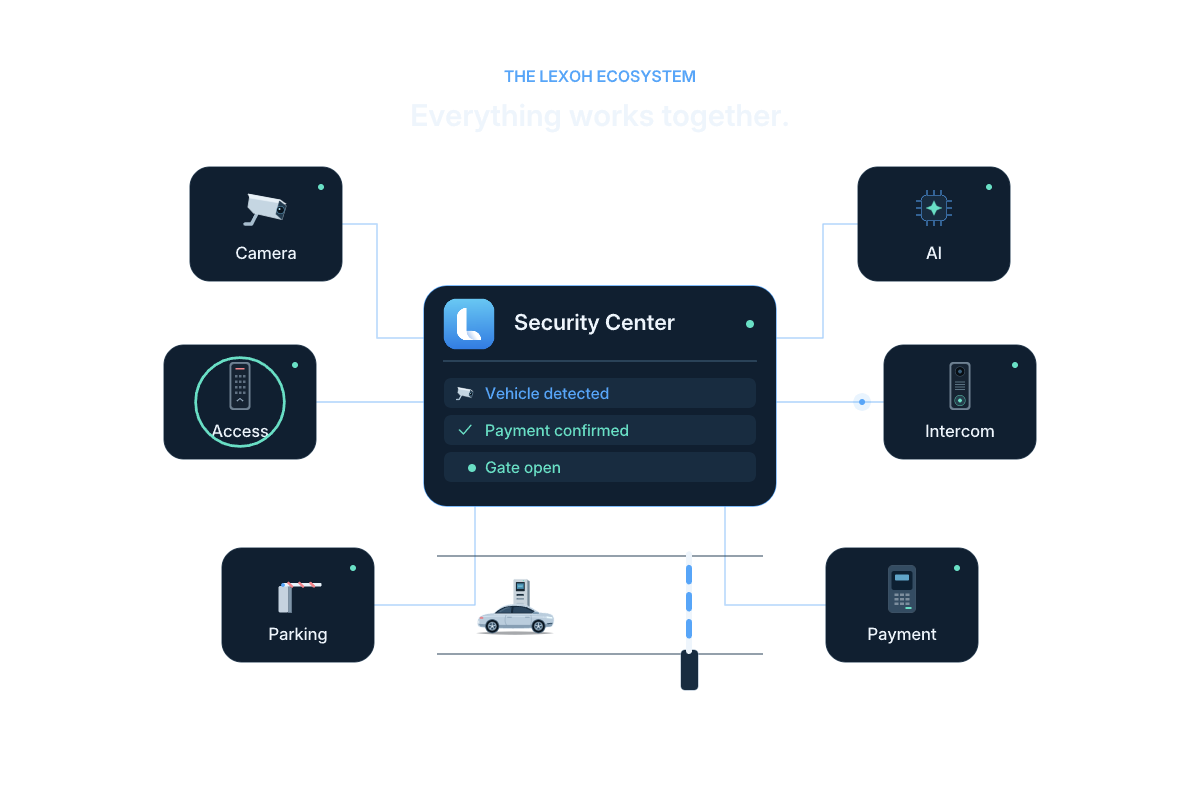
One connected platform
What is Lexoh Security Center?
Lexoh Security Center is the cloud management platform for sites, access permissions, connected devices, events, video and transactions. Lexoh’s hybrid architecture combines this cloud management with an offline mesh network for communication between site devices. It connects activity at an entrance, kiosk, barrier or camera to the people and rules responsible for it. Operators can locate a site, review its records and use the controls their role permits. The selected equipment and integrations determine which information and actions are available.
Daily operations
Move from overview to action without losing context.
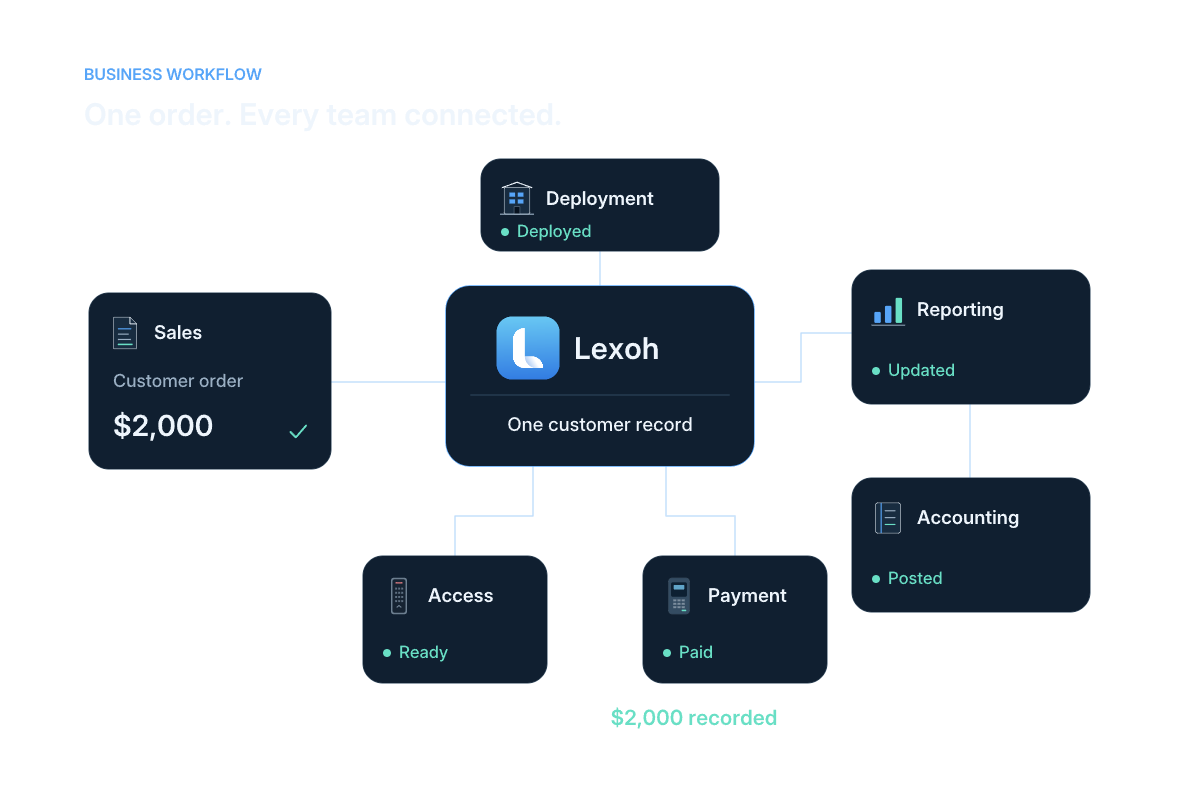
Illustrated relationships between site operations, sales, payments and accounting. Available workflows depend on your configured scope.
Read the workflow steps
- See
Open the configured site and understand current status.
- Locate
Find the device, user, event or transaction involved.
- Act
Use the authorized control or operating workflow.
- Review
Keep the resulting event and context available to the team.
 View full size
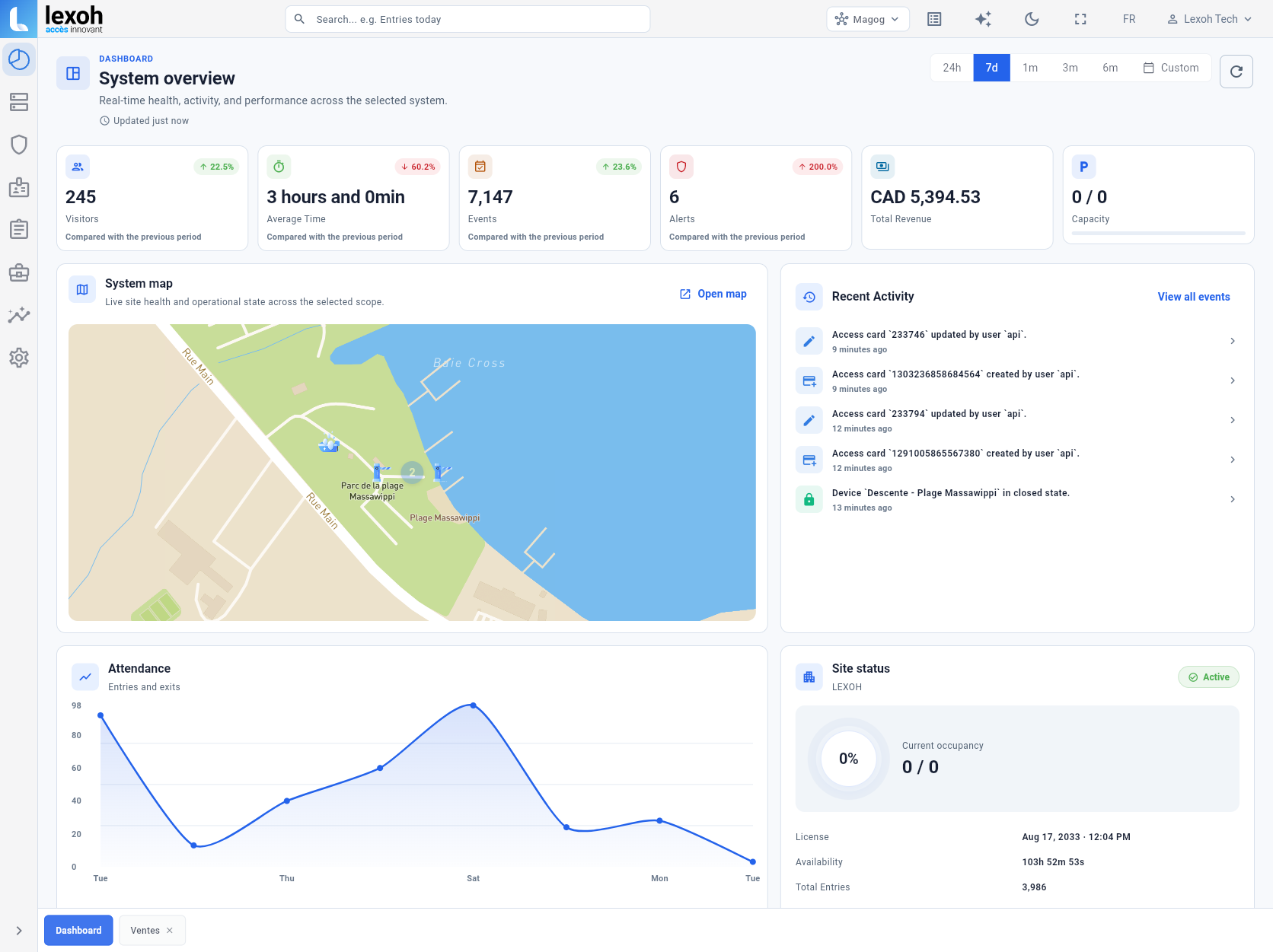
 Sites and devices
Understand the installation from one system overview.
The site map, reported device state, recent activity and operating indicators remain visible in the same workspace. Operators can move from the site overview to the device or event that needs attention.
- Map-based site context
- Connected device status
- Recent operational activity
 View full size
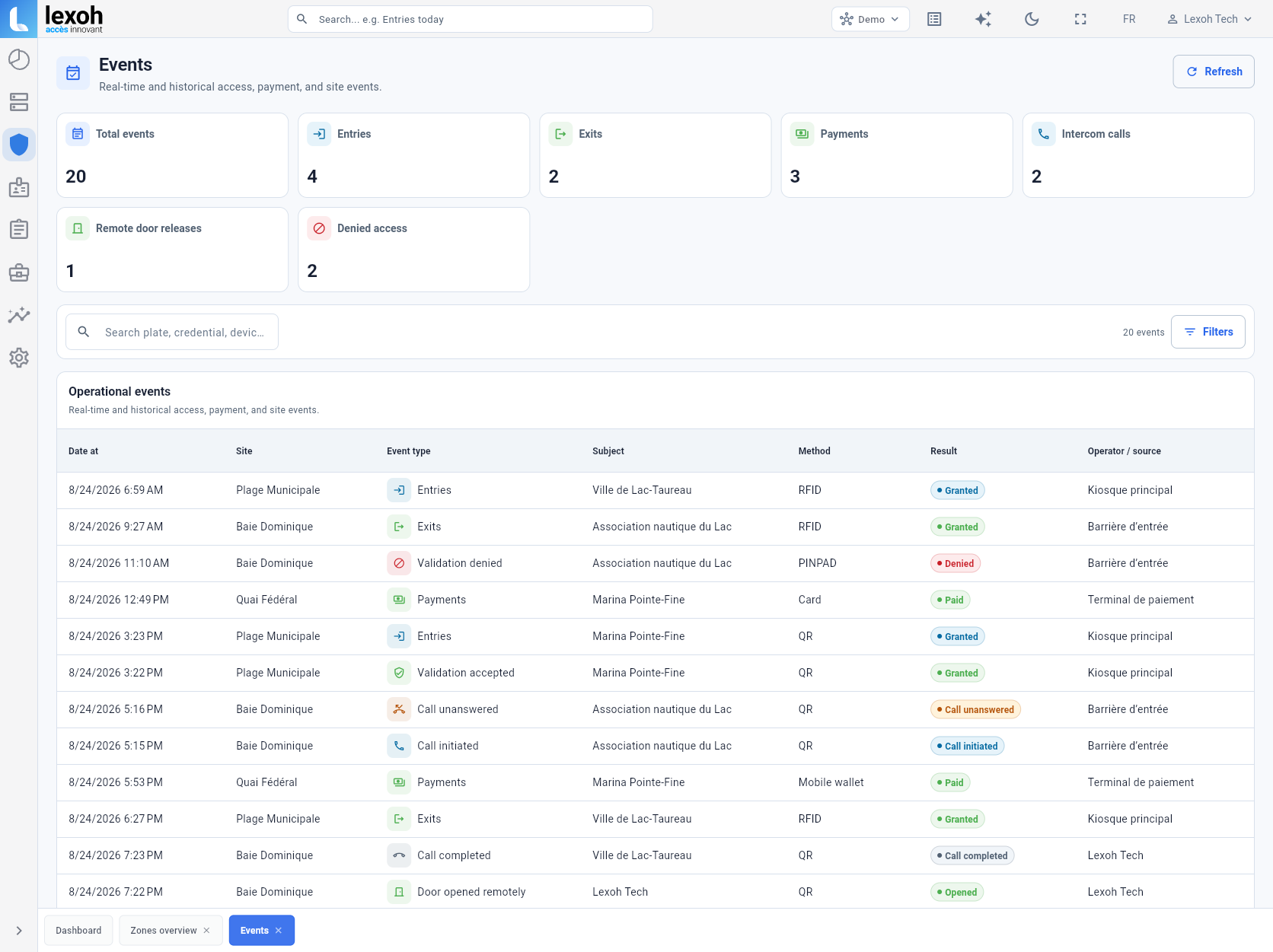
 Operational events
Read access, payment and assistance activity as one timeline.
Events retain the site, subject, method, result and source that help operators understand what happened.
- Entries and exits
- Payments and calls
- Remote actions and clear results
 View full size
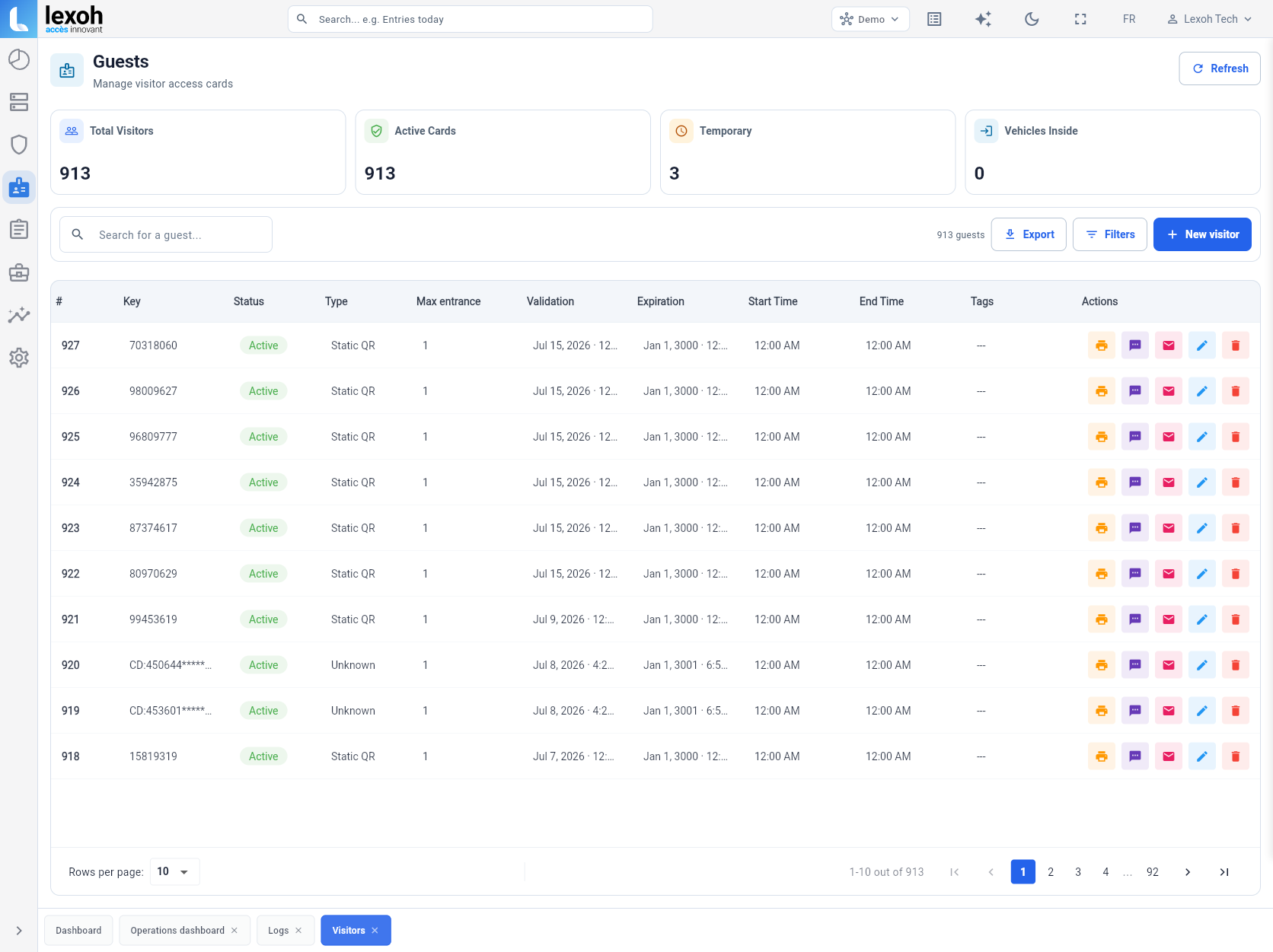
 Users and credentials
Keep visitor access details available to operations.
Visitor records and active credentials can be searched and managed from the same platform as the physical access points.
- Visitor records
- Active and temporary credentials
- Search and administration
 View full size
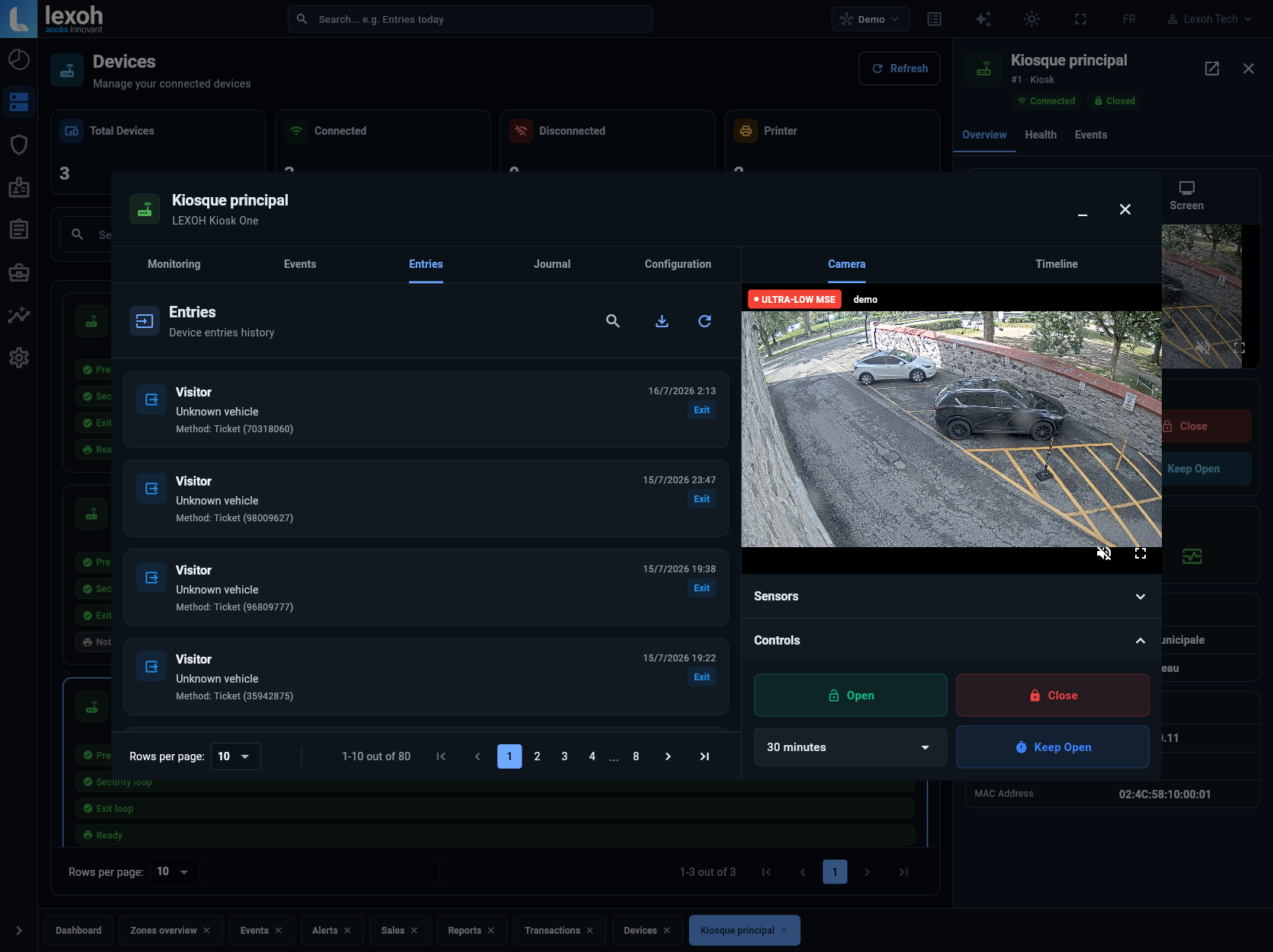
 Field control
Review each device’s entry history, camera and controls.
The device view connects entry history, the associated camera and authorized controls without separating them into unrelated tools.
- Device-specific history
- Associated camera view
- Authorized remote controls
Connected product families
One platform across the physical system.
Security Center sits behind the products and workflows that operate the site.
Access control
Credentials, readers and controlled entrances.
Explore access
 LCB-30
 LPK-128V2
Kiosks
User interfaces for access and transactions.
Explore kiosks
LPK-128V2
Kiosks
User interfaces for access and transactions.
Explore kiosks
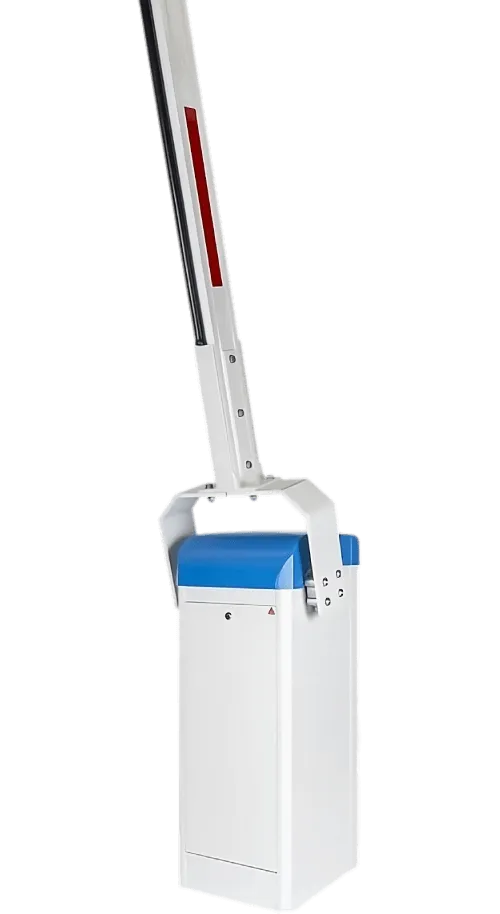 Parking operations
Lanes, barriers, payments and site records.
Explore parking
Parking operations
Lanes, barriers, payments and site records.
Explore parking
 Video intelligence
Monitoring and playback linked to events.
Explore video
Video intelligence
Monitoring and playback linked to events.
Explore video
Security Center questions
How the platform connects sites, people and field equipment.
The interface brings together configured sites, devices, users, credentials, access activity, video, transactions and operational records.
Yes. Security Center is structured to navigate among configured sites while keeping their devices and activity in a shared operating environment.
No. It connects and manages the configured hardware and workflows. Kiosks, readers, barriers, intercoms and cameras remain the physical system at the site.
Start from the employee’s actual tasks and the sites they will support. Define which information they may view and which settings or remote actions they may use, then assign an individual account with the appropriate role permissions. Check the resulting access before the employee begins work and identify who approves later changes or account removal.
Bring a representative site and a few real situations, such as a rejected credential, a payment question and a device-status issue. Ask to follow the available records and operator actions for each one. This makes it easier to identify missing information, role restrictions and hardware or integration requirements before choosing the project’s operating scope.
Connect the operation
Bring every site into one clear operating view.
Tell us which sites, devices, users and workflows your team needs to manage.
Installation photograph: Scotiabank parking entrance, Kingston.