



















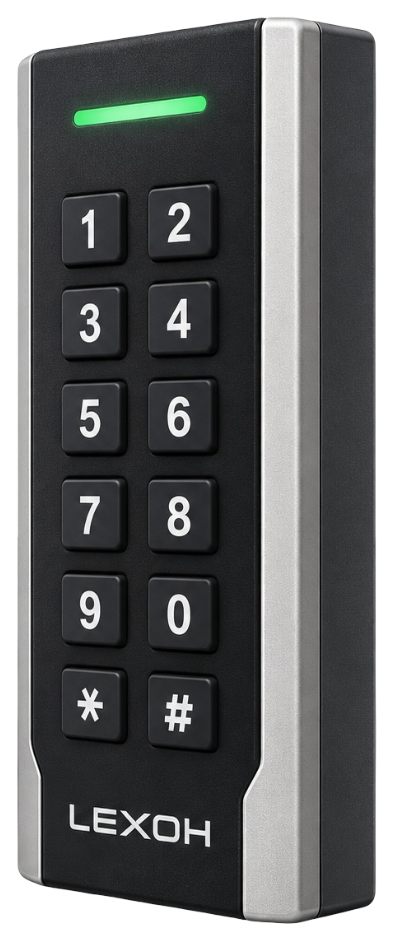
The reader datasheet lists 125 kHz EM/HID and 13.56 MHz MIFARE credentials. Those reader specifications do not identify the exact card chip or encoding for your order. Confirm the card reference, reader output format and controller enrollment requirements, then test a representative sample before approving the batch.
Credentials and identification
RFID access card
Choose RFID access cards for the readers and access rules used at your site. Plan a new batch or replacement with Lexoh using the current card reference, reader models and enrollment process. Approve a sample before distributing cards to users.
- Role
- Card credential
- Interaction
- Presented to a reader
- Compatibility
- Reader technology + encoding

Credential system
An access card carries an identifier, not a permanent permission.
Registering a card connects it to managed access rights. The chosen card technology must also match every reader where it will be used.
Does the same card shape mean it is compatible?
No. Cards that look alike can use different technologies or encoding. Record the installed reader references and the approved card type, then test a sample before ordering a new batch or planning a changeover.
Issue cards with the intended access rights
Assign the credential to the appropriate user and configure the permitted entrances and validity. Verify both an allowed and a refused access case. Printing a name on the card does not register it in the access system.
What happens when a card is lost or replaced?
Deactivate the old credential through the access-management process and register the replacement with the intended rights. Keep the assignment record current when users leave or their responsibilities change.
Credential lifecycle
A card follows its assigned access rights.
Register the card in the access system, assign it to the intended person and configure that person’s permitted entrances and validity.
- Issue
- Register a compatible card and assign it to the intended person.
- Update
- Change access permissions when a person’s role, zones or schedule changes.
- Replace
- Deactivate a lost card and register its replacement as a separate credential.
RFID access card selection criteria
| Selection item | What to confirm |
|---|---|
| Card reference | Specify the exact chip, technology and product reference. Cards with the same size or appearance can require different readers and enrollment settings. |
| Encoding and enrollment | Confirm which credential data the installed system reads and how cards are enrolled. Review encoding and security requirements with the responsible access administrator. |
| Reader coverage | Validate a sample at each reader type the card must use. A successful read at one entrance does not prove that every installed reader is compatible. |
| Physical format | Confirm dimensions, material and any holder or printing requirements for the selected card. Do not infer a universal thickness or printable surface. |
| Durability and storage | Use the selected card’s handling and environmental instructions. Confirm the expected use and replacement process rather than assuming a universal service life. |
| Supply and personalization | Confirm order quantity, delivery, numbering and any artwork or encoding service in the quotation. These commercial details depend on the requested batch. |
Request the current datasheet and an approved sample or configuration for the product proposed in your quotation.
Prepare a card order
Approve a sample before issuing the batch
Plan the card order with Lexoh around the installed readers, enrollment process and distribution date.
| Planning item | Information to provide |
|---|---|
| Existing installation | List the reader models and the reference of a working card. Identify whether the order adds cards or replaces an existing technology. |
| Quantity and artwork | Provide the desired quantity, distribution date and printing needs. Confirm numbering, artwork approval and any enrollment service in the quote. |
| Assignment process | Name the team responsible for receiving, enrolling and distributing cards. Keep a controlled record of the assigned credential and user. |
| Sample approval | Test the sample on the required readers before accepting the batch. Include allowed and refused access, then document the lost-card and replacement process. |
Configuration: Keep the approved product reference, configuration and sample results with the site records.
Equipment questions
Practical details for planning, operating and maintaining this equipment.
Reconcile the proposed credential identifiers with the existing assignment records and the intended users. Resolve any duplicate or ambiguous association before distribution, using the access system’s supported enrollment process. Then test representative issued cards. A printed name or batch list is useful administration information, but it does not by itself prove a unique active assignment.
Close the previous assignment and verify that its permissions and validity no longer remain active before reissuing the card. Register the new user and intended access through the approved workflow, then test the result. Physical return of a card does not clear its access rights automatically; document the return, reassignment and any missing cards.
Project review
Plan your access-card order.
Share the quantity, existing reader models and current card reference. Include the date needed and any printing requirements so Lexoh can review compatibility and the proposed batch.