



















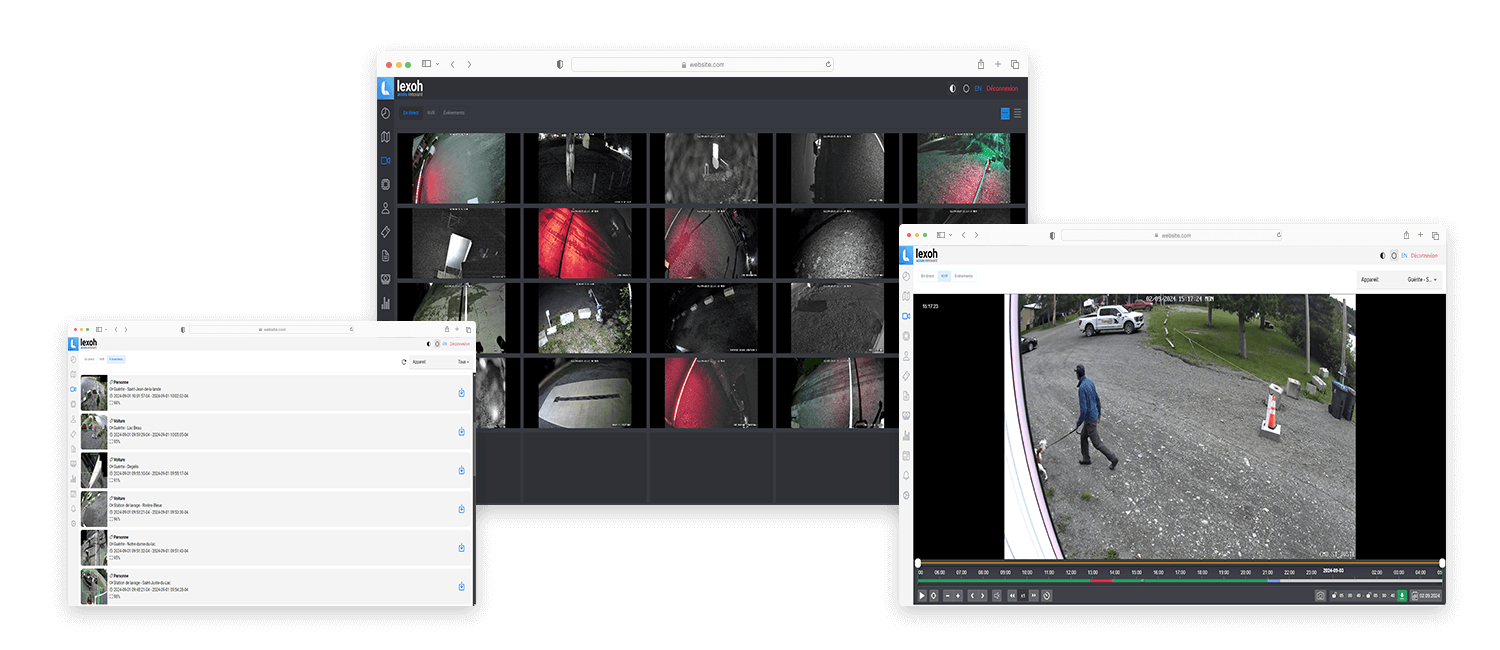
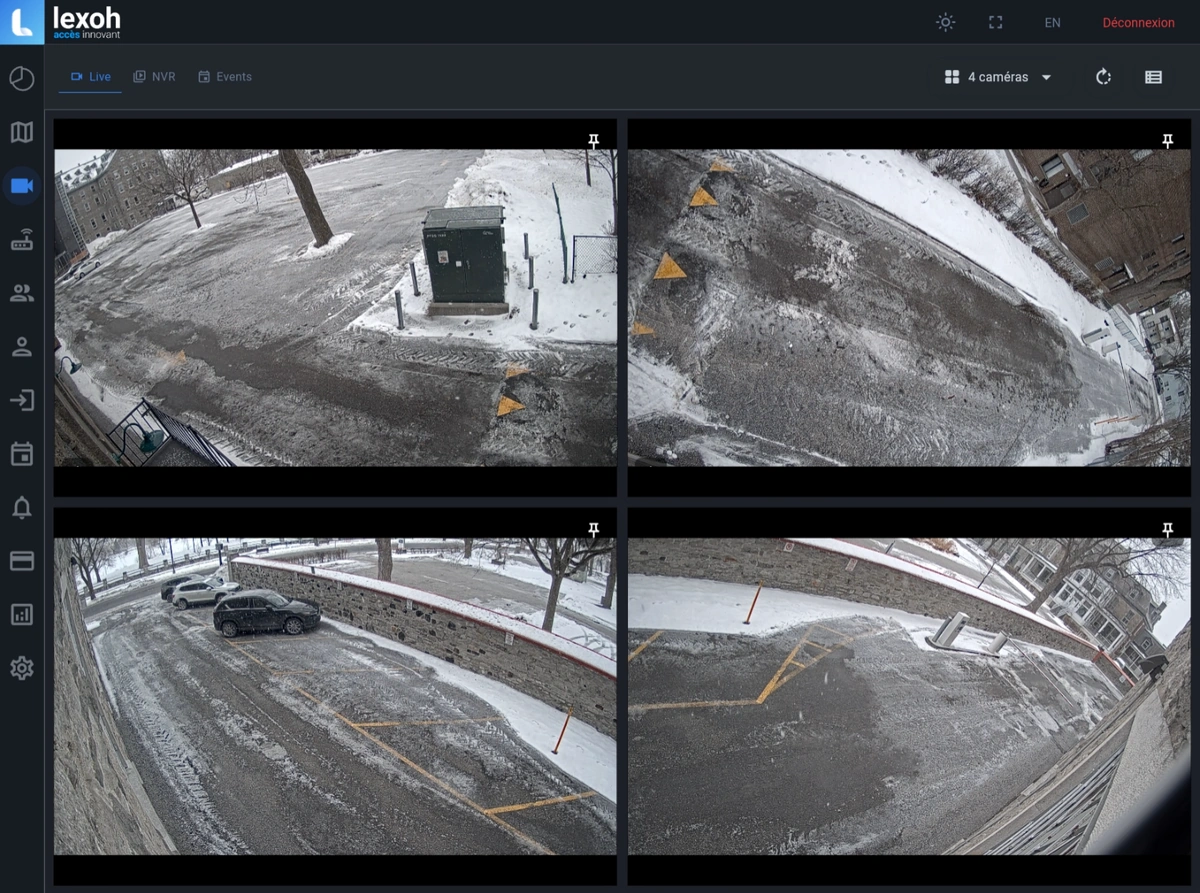
Keep approved examples of the actual entrance view under the lighting conditions used for acceptance. Record the camera reference, mounting position, field of view and the operational task each image supports. These references help the team recognize later changes in framing, obstructions or image quality; follow the site’s handling rules for any images containing people or vehicles.
Video security equipment
Bullet cameras for entrance monitoring
A directional fixed camera keeps a defined approach or access point in view. Position and lens selection determine the scene it covers. Plan your camera layout, recording needs and operator access with Lexoh.
- Role
- Directed video viewpoint
- Form
- Bullet form factor
- Selection
- Matched to your site

View first
Keep a defined entrance or approach in view.
A bullet camera provides a fixed, directed view. Choose the lens and mounting position for the scene operators need to see, then confirm the recording and viewing setup.
Bullet, dome or PTZ?
Bullet and fixed dome cameras retain a selected viewpoint; their housing and mounting differ. A PTZ camera can change direction and framing. Choose fixed coverage when the entrance must remain visible while an operator examines another area.
Detail depends on the installed view
Resolution alone does not show how much detail a vehicle or person will occupy in the image. Compare lens coverage, subject distance, mounting angle and obstructions, then check the view with daylight, shadows and headlights.
Confirm recording and analytics separately
A camera supplies the image; the configured video system determines recording, retention and review. Confirm exact camera compatibility. Plate recognition or other analytics require supported functions and suitable installation conditions, not simply a bullet housing.
Fixed viewpoint
Keep the approach in view.
A directional fixed camera frames the approach or passage the operator needs to watch.
-
Frame the subject
Set the mounting position around the vehicle path and the required level of detail.
-
Check the image
Review obstructions, lighting and glare from the installed position.
-
Use the view
Live viewing and recorded review follow the connected video system’s configuration.
Bullet camera selection criteria
| Selection point | What to verify |
|---|---|
| Required view | Define the approach, stopping point and detail the operator needs to see. Record subject distance and the proposed mounting height. |
| Lens and image | Compare the lens coverage, resolution and frame rate of the offered camera against the required view. Check moving vehicles in the installed image. |
| Changing light | Test daylight, shadows and headlights. Confirm any infrared illumination and low-light functions on the selected model; a stated illumination distance is not a guarantee of usable detail. |
| Outdoor installation | Confirm operating temperature, enclosure protection, bracket, cable entry and service access for the exact assembly. |
| Power and network | Match the camera’s documented supply and maximum power consumption to the network switch or injector. Confirm cabling and the complete network route. |
| Video integration | Identify the exact camera and firmware, supported video connection, recording destination and viewing software. Test the functions required by the site. |
Specifications are confirmed for the camera offered in your quotation. Request its current datasheet and installation drawing; no single set of numerical ratings applies to every camera of this type.
Prepare the entrance view
A camera plan for the actual approach
Send the view requirements and site conditions so Lexoh can review the camera with the surrounding access equipment.
| Planning item | Site information |
|---|---|
| Lane and stopping point | Mark the approach, barrier, reader and normal vehicle stopping position on the site plan. Identify which area must remain visible when a vehicle queues. |
| Purpose of the image | Describe the task: observe a passage, assist a visitor or review a reported incident. Treat plate reading as a separate requirement to assess. |
| Existing installation | List the cameras, recording system and network equipment being retained. Include available mounting, cabling and power information. |
| Acceptance views | Agree on representative daytime and nighttime scenes and the detail required at the point of interest. Keep the approved camera position and sample views with the handover record. |
| Operator handover | Test how the operator finds the lane, live image and relevant recorded period. Confirm who maintains the camera and who handles a missing image. |
Configuration: Keep the approved view, offered equipment and acceptance results in the site handover record.
Equipment questions
Practical details for planning, operating and maintaining this equipment.
Confirm that operators can identify the correct camera, lane and time period in the configured video and event systems. Check a representative event against its available footage and document how review is performed. A camera view alone does not establish automatic event linking, synchronized records or a particular retention period; verify those functions in the selected system.
Project review
Plan your camera coverage with Lexoh.
Share the scenes, operator tasks, mounting conditions, lighting and video architecture for a project-specific review.