



















Define who may move the camera and how another operator knows that it is being used. Confirm any control-priority or handover functions available in the selected video system, then test the agreed procedure with multiple accounts. Shared viewing does not necessarily mean that simultaneous movement commands will be coordinated automatically.
Video security equipment
PTZ cameras for entrances and parking
A PTZ (pan-tilt-zoom) camera lets an operator change the viewing direction and zoom to inspect an entrance or parking area through a compatible video system. Pair it with a fixed camera where the entrance must stay continuously in view. Plan your camera layout, recording needs and operator access with Lexoh.
- Role
- Operator-directed view
- Form
- Pan-tilt-zoom form
- Selection
- Matched to your site

Choosing a camera
When does a PTZ camera help at an entrance?
Choose PTZ control when an operator needs to change the view to examine an incident. Plan fixed coverage separately for a lane or doorway that must remain visible.
PTZ or a fixed camera?
A PTZ camera changes its viewing direction; a fixed camera retains a defined view. Use the two together when operators need to investigate elsewhere without losing the entrance view.
What should you compare before choosing?
Compare the required image detail, lens and zoom, then check the view from the proposed mounting point in changing light. Use the selection criteria below to prepare the camera specification with Lexoh.
Can it recognize plates or decide access?
PTZ describes camera movement and zoom, not an access permission. Plate recognition and access decisions require their own supported functions and configured system; confirm those requirements separately.
Operator-directed video
Move the view to the area of interest.
Pan, tilt and zoom let an operator change the framing. The current camera position determines what is visible.
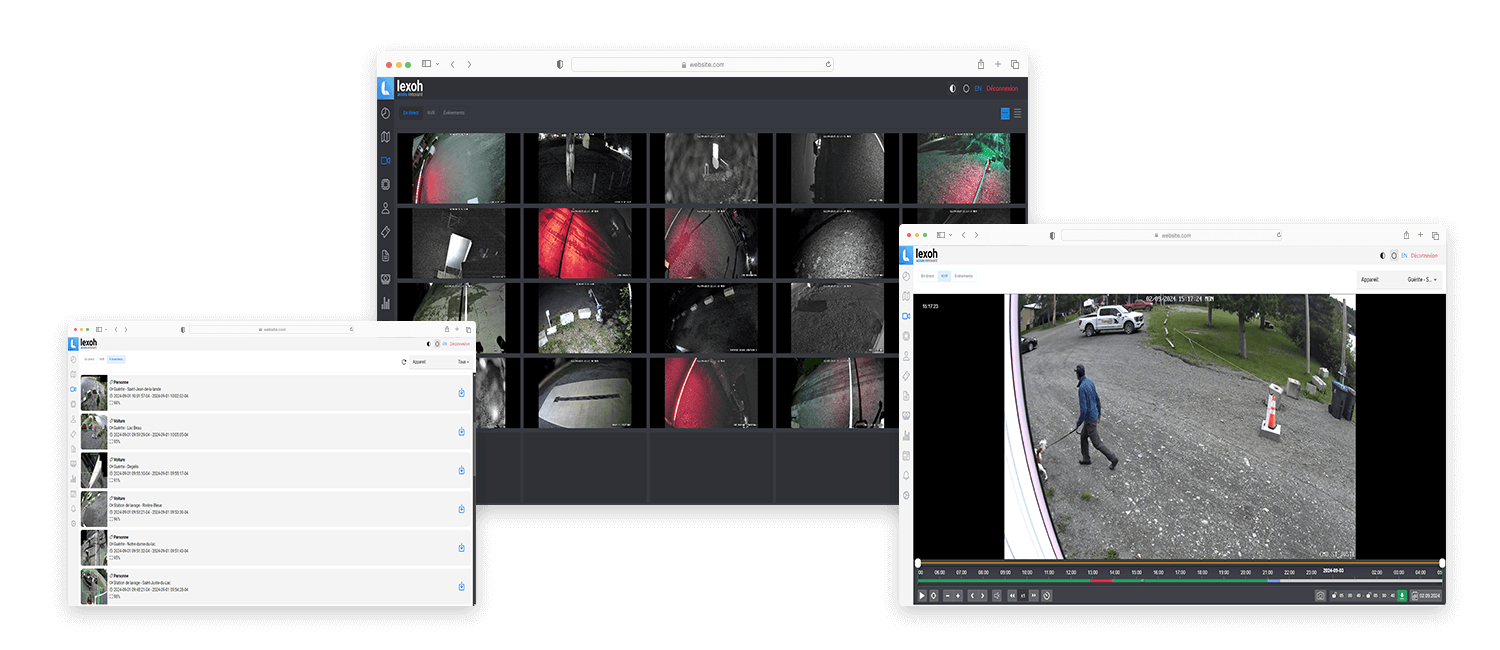
-
Locate the subject
Orient the camera toward the area that needs attention.
-
Adjust the framing
Use the model’s pan, tilt and zoom controls to examine the scene.
-
Plan continuous coverage
A fixed camera can retain the entrance view while the PTZ looks elsewhere.
PTZ camera selection criteria
| Selection point | What to verify |
|---|---|
| Pan and tilt | Compare the offered movement limits with the areas to inspect and the mounting obstructions. Test the complete intended movement from the proposed position. |
| Lens and optical zoom | Choose the lens and optical zoom for the subject distance and required detail. Compare the installed image at wide and close views. |
| Image and lighting | Confirm resolution, frame rate and low-light or illumination options for the selected camera. Test the scene with daytime contrast and the site’s nighttime lighting. |
| Controls and presets | Verify movement, zoom, presets and any return or tracking functions in both the camera and the operator software. Include the required account permissions. |
| Power and mounting | Check documented maximum power consumption, supported power source, bracket loading, cable routing and environmental limits for the offered assembly. |
| Recording and integration | Confirm the exact camera, firmware and recording connection. Test playback and operator control separately; a visible stream does not prove that all movement functions work. |
Specifications are confirmed for the camera offered in your quotation. Request its current datasheet and installation drawing; no single set of numerical ratings applies to every camera of this type.
Prepare the operator workflow
Plan an inspection without losing the entrance view
Define what the operator needs to inspect and which areas still require continuous fixed coverage.
| Planning item | Site information |
|---|---|
| Inspection positions | Mark the areas of interest and the proposed mounting point. Include the distances and any structures that interrupt the intended view. |
| Continuous coverage | List the entrances or lanes that must remain visible while the PTZ looks elsewhere. Plan their fixed cameras independently. |
| Shared operation | Identify the operators who may move the camera and the procedure for handing over control. Check any required priority function in the selected system. |
| Reference view | Define the view to restore after an inspection. If presets, patrol or automatic return are required, include their setup and acceptance tests in the scope. |
| Handover test | Test live view, movement, zoom, reference-view return and recorded review with the intended accounts. Record the camera and software configuration that passed. |
Configuration: Keep the approved view, offered equipment and acceptance results in the site handover record.
Equipment questions
Practical details for planning, operating and maintaining this equipment.
Agree on the view that should be restored and make it part of the operating procedure when that supports the monitoring task. If a preset or automatic return is required, confirm that the selected camera and software support it and test the configuration. Do not assume that ending a manual inspection restores the intended framing.
Project review
Plan your camera coverage with Lexoh.
Share the scenes, operator tasks, mounting conditions, lighting and video architecture for a project-specific review.