










Term and zone permits
Define student and staff rights across the actual academic calendar.
Review digital parking permits
Card-based credential reader

UHF credential reader

QR and barcode credential reader

Device input and output controller

RFID access credential

UHF access credential

Lane and access display signage

Thermal printer paper

IP intercom communication

Analog omnidirectional microphone
University and campus parking
Lexoh connects parking readers, barriers, payment kiosks and management tools for university campuses. Define student and staff permits by term and zone, then plan separate access and payment rules for visitors and events. Confirm campus-card compatibility and any exchange with university systems as part of the project scope.
The key question is which right applies at the time of arrival. A student permit, staff entitlement and event validation may use the same entrance but cover different zones and periods. Write down those rules before deciding how vehicles will be identified.
| Arrival or user | Policy to define | Design consequence |
|---|---|---|
| Term permits | Which start and end dates apply? | Test advance issuance, expiry and the transition between terms. |
| Faculty and staff | Does one credential cover several areas? | Define parking zones separately from building permissions. |
| Public visitors | Where are parking instructions and payment provided? | Plan the route from road signage through departure. |
| Campus events | Who can change the normal operating rule? | Assign an approver and restore the regular policy after the event. |
Determine whether staff validate requests or an approved interface supplies eligibility data. Confirm which identifiers can be shared and who resolves discrepancies. A campus identity account does not automatically establish a parking entitlement.
Link the approved vehicle or credential to the relevant area and dates. Review permit quotas and allocation outside the lane decision; issuing a permit should not imply a guaranteed space unless that is the campus policy.
Test a renewed permit, an expired permit, a replacement vehicle and an event visitor. Give the parking office a documented process for corrections during the busiest renewal period.
Identify which system holds the approved permit, its validity dates and permitted zones. If a university directory supplies eligibility, confirm the interface and which data it shares. Assign responsibility for withdrawals, duplicate records and delayed updates. Demonstrate a term renewal and a withdrawn permit before migrating existing records.
Select cards, vehicle tags, QR codes or license-plate identification according to the users and entrance layout, then verify the chosen reader and controller combination. A university card may require a different reader from a vehicle tag. Include barriers, vehicle detection, power and communications in the site survey, with a defined response to an unavailable connection.
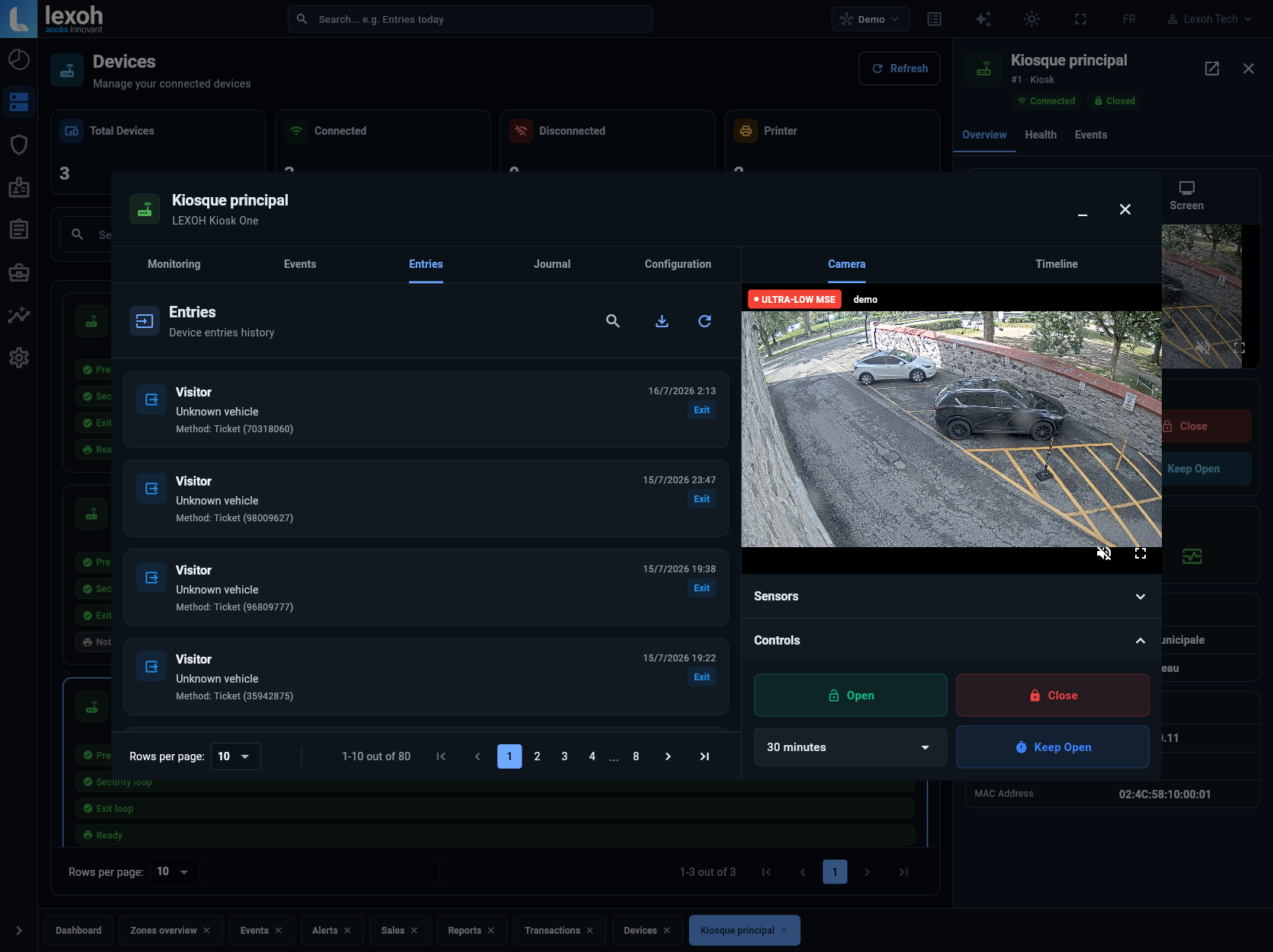
Where visitors pay, specify the kiosk or payment interface, tariff periods and event exceptions. The illustrated Lexoh Security Center device view shows entry events and barrier controls; permit administration, occupancy counts and financial reports each need a separate demonstration. Define who handles assistance at each entrance and which records the parking office needs for follow-up.

Imagine an open house taking place just as a new term starts. Returning students have renewed rights, some vehicles still have expired records and visitors need a separate arrival instruction. Define whether event parking is free, paid or validated, and which areas it covers. Test the event rule without expanding access to restricted staff zones. This example shows why the calendar and the physical lane plan need to be reviewed together.
A map of parking areas, public entrances, staff zones and any shared circulation with other campus users.
Permit categories, term dates, renewal rules, approvals and the source of eligibility information.
Event procedures, payment locations, assistance responsibilities and the cases required for acceptance testing.
Questions to settle before selecting the equipment and configuration.
Share the campus map, permit categories and event calendar to define equipment, access rules and the deployment sequence.