Section-based access
Associate ticket sections with the intended entrances. Separate public, hospitality and staff permissions to organize movement through the stadium.
Explore permissions →
Card-based credential reader

UHF credential reader

QR and barcode credential reader

Device input and output controller

RFID access credential

UHF access credential

Lane and access display signage

Thermal printer paper

IP intercom communication

Analog omnidirectional microphone
Stadiums & event venues
Plan ticketing, section access and parking as one event journey. Connect the admission decision to QR readers, turnstiles and vehicle gates, with a clear operating plan for peak arrivals.

Give spectators a clear route from arrival to their section. Separate vehicle access, perimeter admission and internal zones so each checkpoint has a defined purpose.
Stadium ticketing identifies the event and admission sold; reserved seating also identifies a section, row and seat. Lexoh’s entrance-control scope connects the relevant permissions to physical access. Seat inventory, seat maps and checkout are defined with the selected ticketing application.
Connect ticket permissions to the equipment welcoming spectators at the venue.
Associate ticket sections with the intended entrances. Separate public, hospitality and staff permissions to organize movement through the stadium.
Explore permissions →Define admission periods and re-entry rules. Set distinct schedules for setup, operating teams and spectator arrival.
Explore access schedules →Connect credential reading to compatible turnstiles and access lanes. Choose QR or RFID according to tickets, staff credentials and venue equipment.
Explore RFID readers →Manage vehicle access alongside admission. Distinguish parking periods, reserved areas and the vehicle access needed by venue teams.
Explore vehicle access →Find connected equipment and its authorized commands. Help an operator resolve an entrance issue from the operating view.
Explore connected equipment →Examine recorded access events to understand a reported passage. Find the available context when responding to a spectator or a venue team.
Explore Security Center →Ticketing exchanges and available commands depend on the selected interfaces and equipment.
Select an area on the map to explore its journey and access permissions.
Route spectators according to their ticket section and venue signage, with an assistance point for exceptions.
For reserved seating, identify the section, row and seat alongside the event. The ticketing application must manage availability, held seats and allocation; a gate only needs the information required to authorize the passage. Define accessible seating and accompanying-person arrangements as part of the ticket offer, and align the entrance route with those arrangements.
Map the approach from the parking area to the perimeter and seating zones. Plan reader placement, queue direction and a separate assistance point. The number of lanes should be based on measured arrival demand and equipment behavior, not a generic visitors-per-minute claim. Test the complete journey with real tickets, bags, groups and the staff who will operate the venue.
Scope parking as an optional service or as part of a hospitality package. Decide whether it authorizes a vehicle to enter or guarantees an allocated parking place. The parking period may start before admission opens and end after the event finishes. A changed event, transferred ticket or partial refund needs a defined effect on the vehicle permission.
Admission, an additional activity and parking can form one offer. Define the components in the sales software, then the permissions expected at each entrance.

General admission, a reserved seat and a hospitality package carry different permissions. Define what is sold and what each entrance needs to check.
| Admission type | Permission to define | Operating consideration |
|---|---|---|
| General admission | Event, date and authorized area | Sales capacity remains separate from the actual number of people on site. |
| Reserved seat | Section, row, seat and associated gate | The ticketing system owns seat holds and allocation. |
| Season pass | Eligible events and authorized holder | A transfer or exclusion must affect the correct event. |
| Hospitality package | Admission, lounge and optional parking | Each service has its own period and validation point. |
Parking controls a vehicle; the perimeter validates admission; the section identifies the destination. Connect these steps without treating their permissions as interchangeable.
Define which credential stays valid and when the former holder loses the right to enter.
Give staff enough information to direct the spectator to the correct section without an improvised override.
Agree whether a spectator may leave and return, how an exit is recorded and which areas remain authorized.
Test the local permissions and mesh communication available during an interruption. New online sales and transfers have separate synchronization requirements.
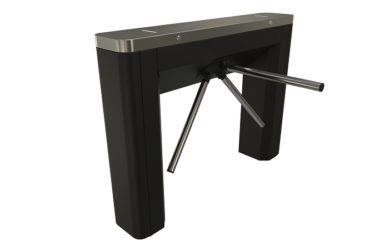
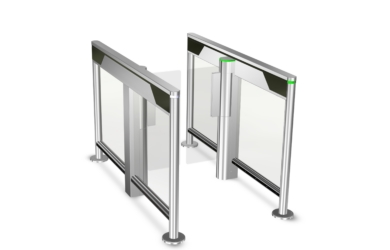
TriLane TL2 tripod turnstiles and SlimLane speedgates provide different physical passage formats. Select the model for the installed environment and operating pattern, then confirm reader mounting, controller interfaces and accessible routes. Emergency egress must be addressed in the site design, independently of ticket validation.
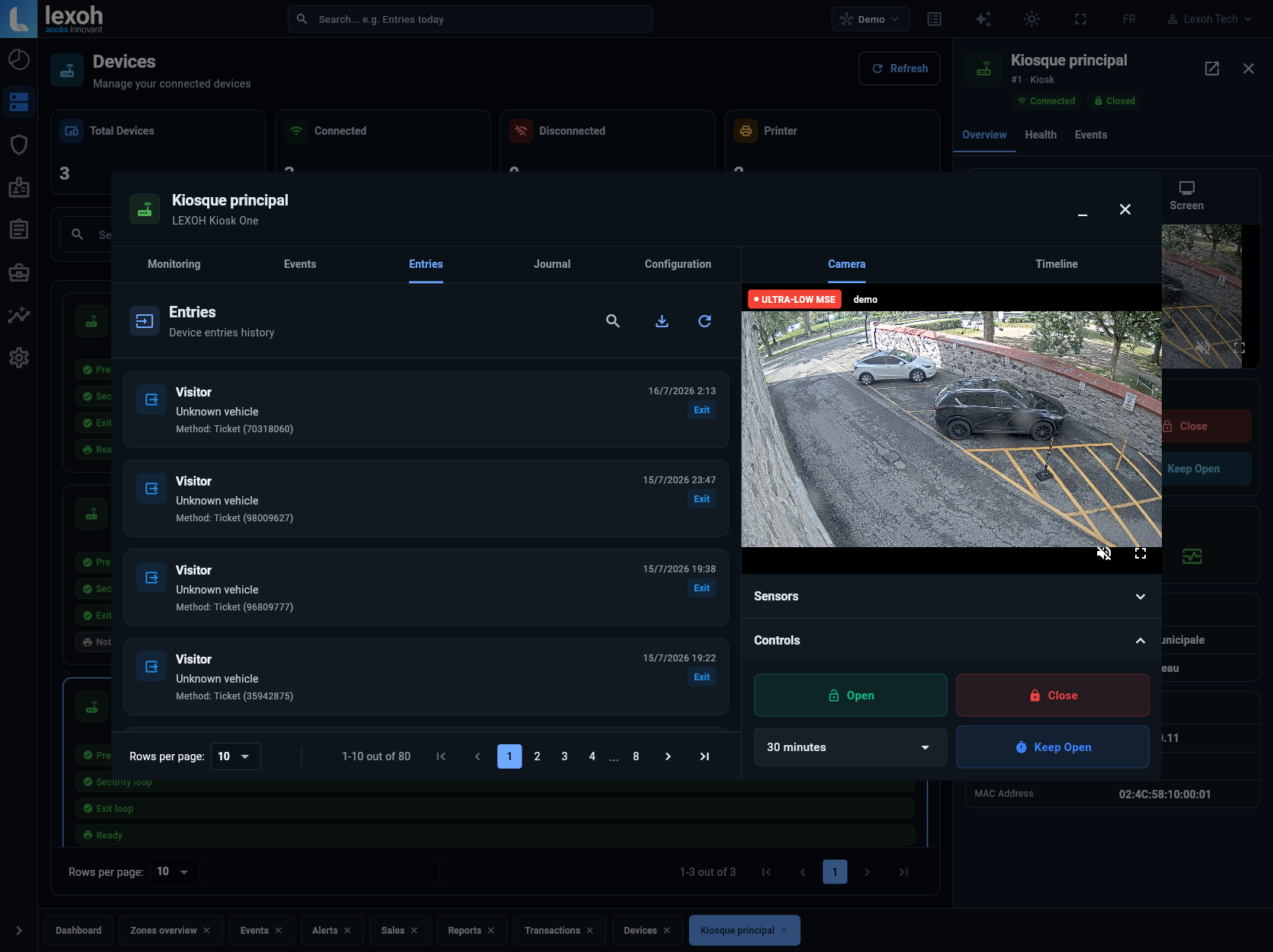
Security Center brings configured access devices and events into the operating view. Connect the event context needed by staff, while leaving seating inventory and commercial ticket decisions with the agreed source system.
Explore access control →Validate a normal, transferred, cancelled and twice-presented ticket. Check which ticket version is authoritative.
Test readers, queues, accessible routes and assistance with the equipment actually installed.
Name the staff allowed to intervene, define command permissions and document the return to normal operation.
Share your seating arrangement, event calendar, ticketing system and entrance plan. We will scope the field equipment and connections around your event operations.
Plan my venue access ↗