

















A call event and an audio recording are different records. The event register can identify activity without retaining the conversation. Confirm any recording capability, storage, access permissions and retention requirements for the proposed configuration before relying on it.
Intercom and assistance
Intercom and remote entrance assistance.
Lexoh connects your entrance intercom and kiosk to the team that handles assistance. Authorized staff can respond to visitors using the access information available for the site.
Assistance within the system
How does a visitor get help at a controlled entrance?
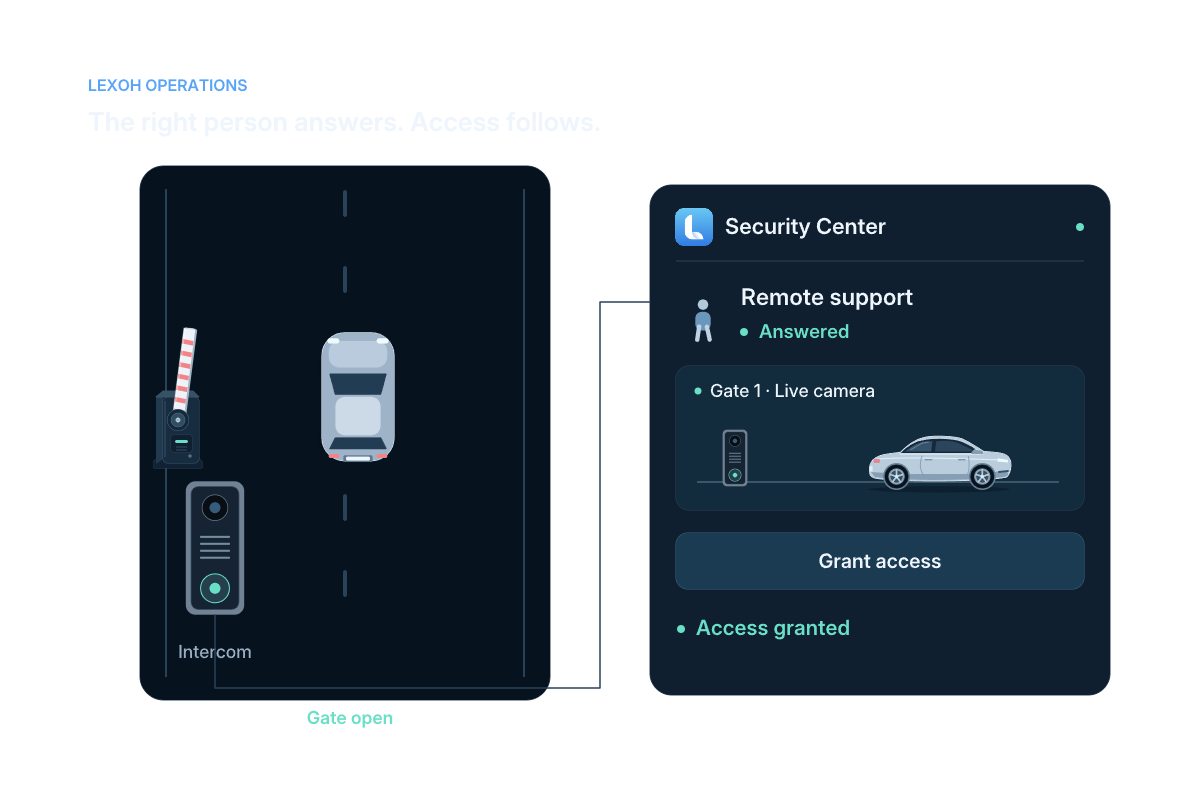
An intercom or kiosk sends the visitor’s request through the response path configured for the site. An authorized operator uses the available location and access information to guide the visitor, take a permitted action or contact the on-site team. Before commissioning, decide who answers, their service hours and what happens to unanswered or unresolved calls. The equipment connection and staffing agreement should support that plan.
Assistance workflow
Connect the visitor’s request to the right entrance.
-
01
Request
The visitor uses the configured intercom or assistance control.
-
02
Route
The request follows the assistance path defined for the site.
-
03
Respond
The authorized operator handles the request with site context.
-
04
Record
Review the available call events and related access actions in the configured operational history.
View full size At the entrance
Place assistance where the visitor needs it.
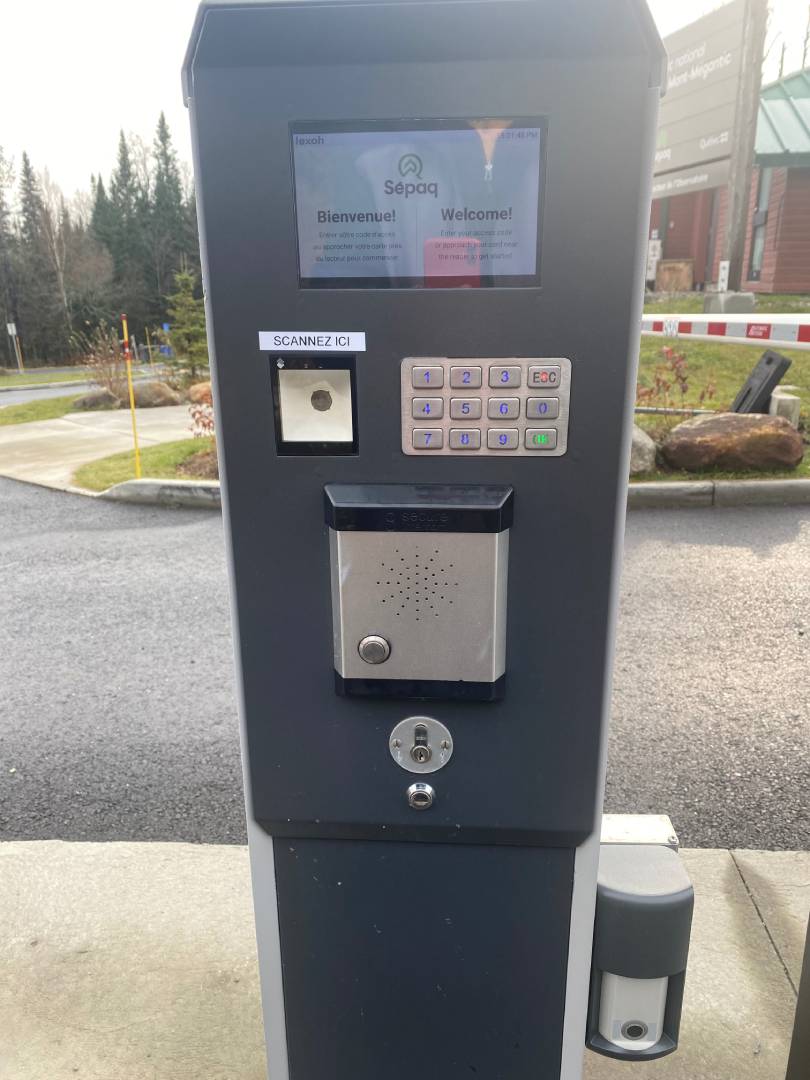
At Sépaq Mont-Mégantic, the installed Lexoh kiosk places the screen, keypad, scanner and intercom at the point of use. Plan the call button position and clear instructions around the visitor’s actual approach.
- Kiosk or access-point integration
- Two-way communication
- A dedicated assistance control
Operator response
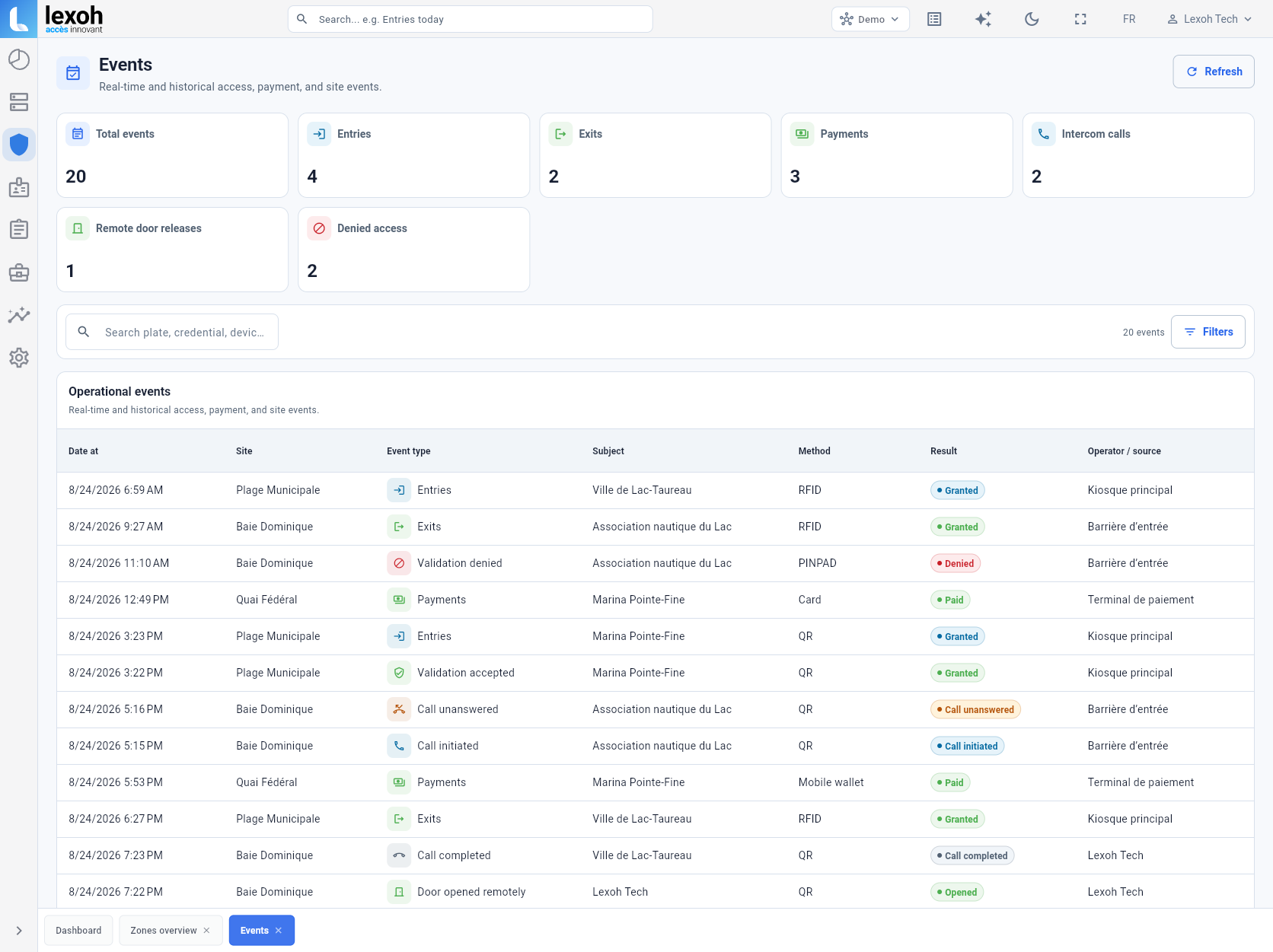
See the device, camera and access history together.
The device record brings together the associated camera, entry history and permitted access commands. An authorized operator can review the entrance before opening, closing or keeping it open.
- Associated camera view
- Entry history
- Authorized open, close or keep-open controls
 View full size
 Operational history
Keep calls and access actions in the same event record.
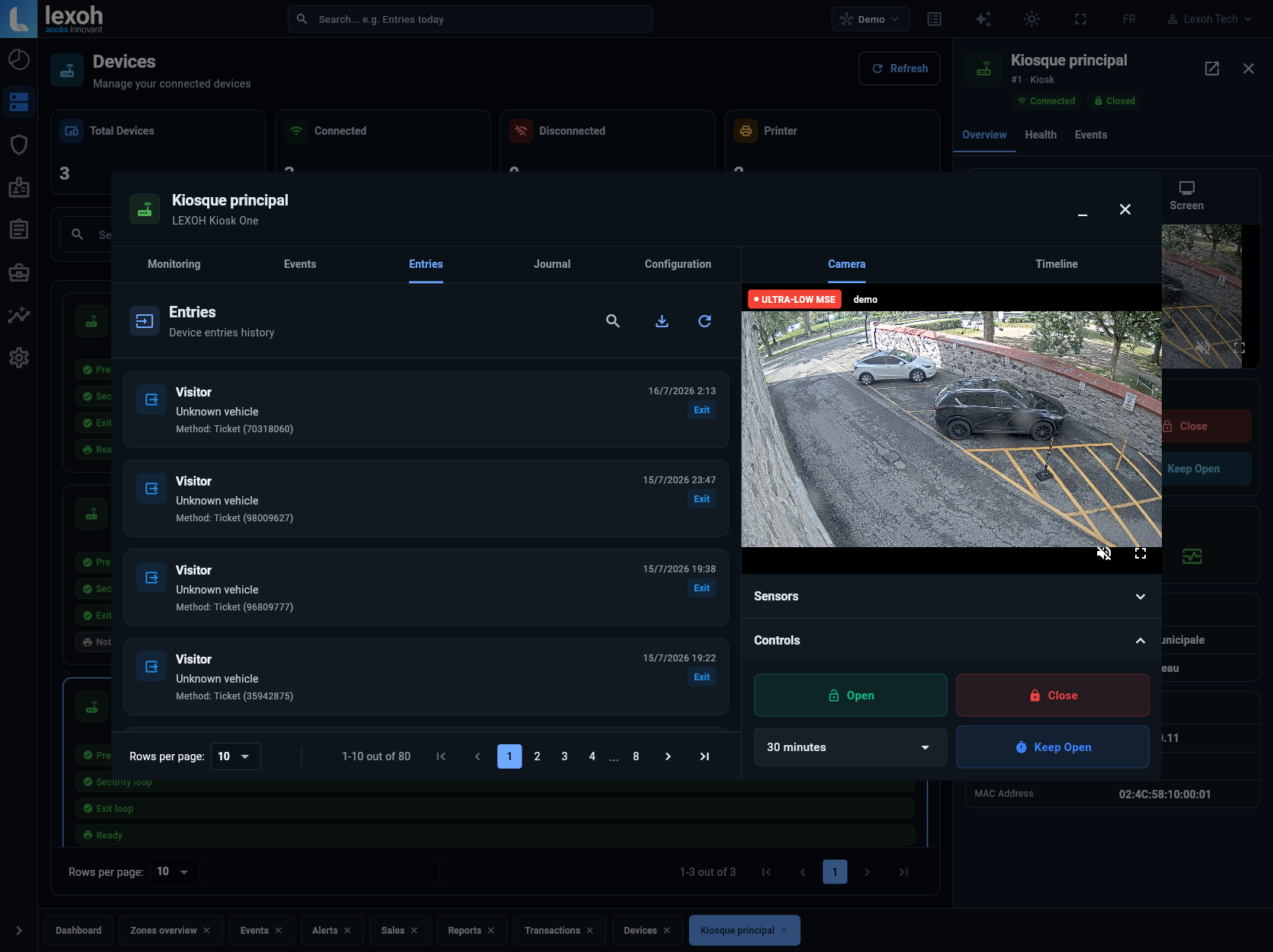
Intercom calls, remote releases, entries, exits and transactions can be reviewed with their site and source.
- Call initiated or completed
- Remote door release
- Site, subject and source
Assistance ecosystem
Connect the call to the physical access system.
Select the intercom and field interface around the entrance, then connect the workflow to Security Center.
 IP intercom
Two-way communication between visitors and the responding team.
View intercom
IP intercom
Two-way communication between visitors and the responding team.
View intercom
 Lexoh Mic
Audio input for the configured field interface.
View hardware
Lexoh Mic
Audio input for the configured field interface.
View hardware
 Kiosks
User interaction, access and assistance in one enclosure.
Explore kiosks
Kiosks
User interaction, access and assistance in one enclosure.
Explore kiosks
 Security Center
Site and device records for the team responding to visitors.
Explore platform
Security Center
Site and device records for the team responding to visitors.
Explore platform
Intercom and assistance questions
Planning the field device and operator response together.
Name the responding team, its service hours and the backup contact before commissioning. Agree what happens when a call goes unanswered or power or connectivity is interrupted, including the site’s approved alternative assistance method. A connected intercom alone does not establish round-the-clock staffing or an outage response.
Yes. The kiosk or access-point configuration can include intercom equipment when the site requires a direct assistance path.
Security Center keeps the connected device and its operating context available to the authorized team.
The operational event register can include intercom calls and related remote access actions alongside entries, exits and transactions.
Identify the entrance and whether the request concerns a blocked passage, a payment issue or general information. Apply the site’s agreed priority rules, assign a responsible operator and note unresolved requests. Escalate cases beyond that operator’s authority to the designated contact. Any queue or automatic routing depends on the configured service; agree how the team will handle concurrent calls when those functions are unavailable.
Place a test call from the position where a visitor or driver will actually use the equipment, with representative vehicles and background noise. Check speech in both directions, reach to the assistance control and the responding team’s instructions. Run the planned handoff or escalation process as well, then address installation or service gaps before visitors depend on it.
Plan the assistance path
Give every visitor a clear way to reach the right team.
Tell us where visitors need assistance and which access equipment is already in place.
Lexoh installation · Sépaq Mont-Mégantic