


Access architecture guide
Access control: cloud or on-premises?
For property owners, IT teams and integrators: compare where access-control software runs, who maintains it and how entrances behave during a connection problem. Compare cloud and on-premises proposals, including hybrid systems that combine cloud management with local offline operation.

Architecture follows operations
Start with who operates the system and what the site must do.
The main difference is where the management software runs and who maintains it. In a cloud-connected model, the management service is hosted remotely; in an on-premises model, it runs on infrastructure managed for the organization. Both still rely on the selected field controllers, readers, locks and power. Local operation during an outage must be verified in the actual controller design, regardless of where management is hosted.
Hybrid access control combines remotely hosted management with local operation. Lexoh uses this architecture: cloud management and an offline mesh network allow site devices to communicate without internet. The local equipment still needs power. Remote management and external services have separate connectivity requirements.
Before the product list
Answer five questions before comparing proposals.
Specific answers turn a broad architecture debate into a project that vendors and internal teams can evaluate consistently.
-
Operate
Who creates credentials, changes permissions, reviews events and responds to exceptions?
-
Connect
Which sites, doors, lanes and networks must remain available, and under what conditions?
-
Govern
Where may data be processed or retained, and who is authorized to access or export it?
-
Integrate
Which source systems and documented data exchanges are actually required?
-
Maintain
Who owns software updates, server or controller lifecycle, monitoring, backups and recovery?
Physical system first
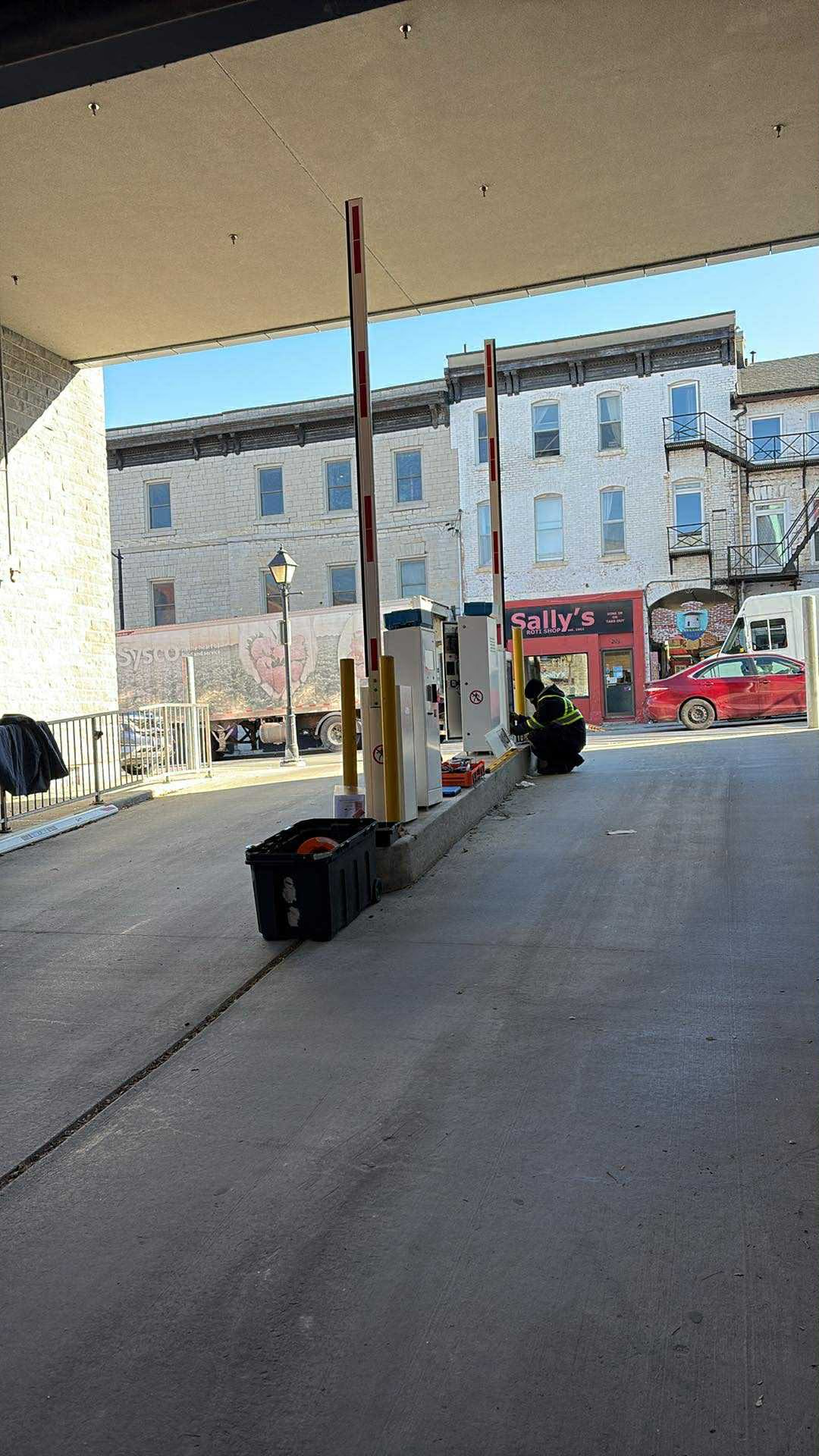
The doors, readers and lanes remain on site.
Regardless of hosting model, the physical design still determines how a credential is presented, how an access decision reaches the connected equipment and how the site behaves during an exception.
Survey the openings, controllers, readers, locks, barriers, power, network, life-safety interfaces and operator responsibilities before treating the software architecture as settled.
- List the selected controllers, readers and their supported credential technologies.
- Document the required local behaviour for every controlled opening or lane.
- Separate access-control functions from life-safety systems and approved emergency procedures.
- Define commissioning and acceptance tests for normal and exception conditions.
Responsibility comparison
Compare who operates and maintains each part.
The following table is a project-planning lens. It describes questions to resolve and typical responsibility patterns; it does not describe every product or guarantee a particular outcome.
Scroll sideways to see every column. With the table focused, use the left and right arrow keys.
| Decision area | Cloud-connected model | Locally hosted model |
|---|---|---|
| Administration | Central administration may be delivered through a hosted service. Planning scope: tenant separation, roles and support responsibilities. | Administration runs in an environment controlled by the organization or its service partner. Operating scope: staffing and remote-access responsibilities. |
| Connectivity | Central synchronization and remote management depend on the designed connection. Review each device’s documented local behaviour. | Local functions may remain available on the site network. Multi-site or remote access still requires a designed network path. |
| Software lifecycle | Update, maintenance and change responsibilities are defined by the service agreement and supported equipment. | The organization or service partner typically manages server, application and dependency lifecycle. |
| Data governance | Contract review: hosting location, subprocessors, retention, access, export and deletion commitments. | Operating procedures: security, backups, retention and administrative controls in the organization’s own environment. |
| Multi-site operations | A hosted platform may provide a shared view when the product and permissions support it. | A shared view depends on the selected application, network topology and any federation or central-hosting design. |
| Integrations | Verify each documented API, connector, data owner and support boundary. | Verify local interfaces, network reachability, version support and ownership of custom integration work. |
| Cost model | Model subscriptions, connectivity, support, equipment, implementation and change over the agreed term. | Model servers, licences, infrastructure, administration, backups, support, upgrades and refresh over the same term. |
Understand an interruption
Separate the management connection from the physical access point.
Start by naming what is unavailable. An operator who cannot sign in, a controller that cannot communicate and a door with a physical fault are different situations. A useful operating plan gives each one an expected behaviour, an initial contact and a way to confirm restoration. The hosting label alone does not answer those questions.
In an illustrative acceptance session, the supplier walks through an approved loss of the management connection. The operator records what is visible, while the installer verifies the agreed behaviour at the selected entrance. The team then checks a credential change, event availability and recovery against the documented procedure. This distinguishes a functioning entrance from a fully restored management service.
Scroll sideways to see every column. With the table focused, use the left and right arrow keys.
| Situation | What the team needs to establish | Evidence after restoration |
|---|---|---|
| An operator cannot use the management service | Whether the issue affects that account, workstation, connection or the service, and which operator actions remain available. | The intended role can sign in and complete its agreed administrative actions. |
| A controller loses its management connection | The selected controller’s documented access behaviour, available events and handling of configuration changes. | The agreed connection, configuration and event checks pass; unresolved changes have an owner. |
| The opening or its local equipment has a fault | The physical symptom, affected components and approved assistance procedure; distinguish this from a management-only problem. | The qualified installer confirms the required physical response and the operator completes the agreed access checks. |
Lexoh hybrid architecture
Cloud management and local offline communication work together.
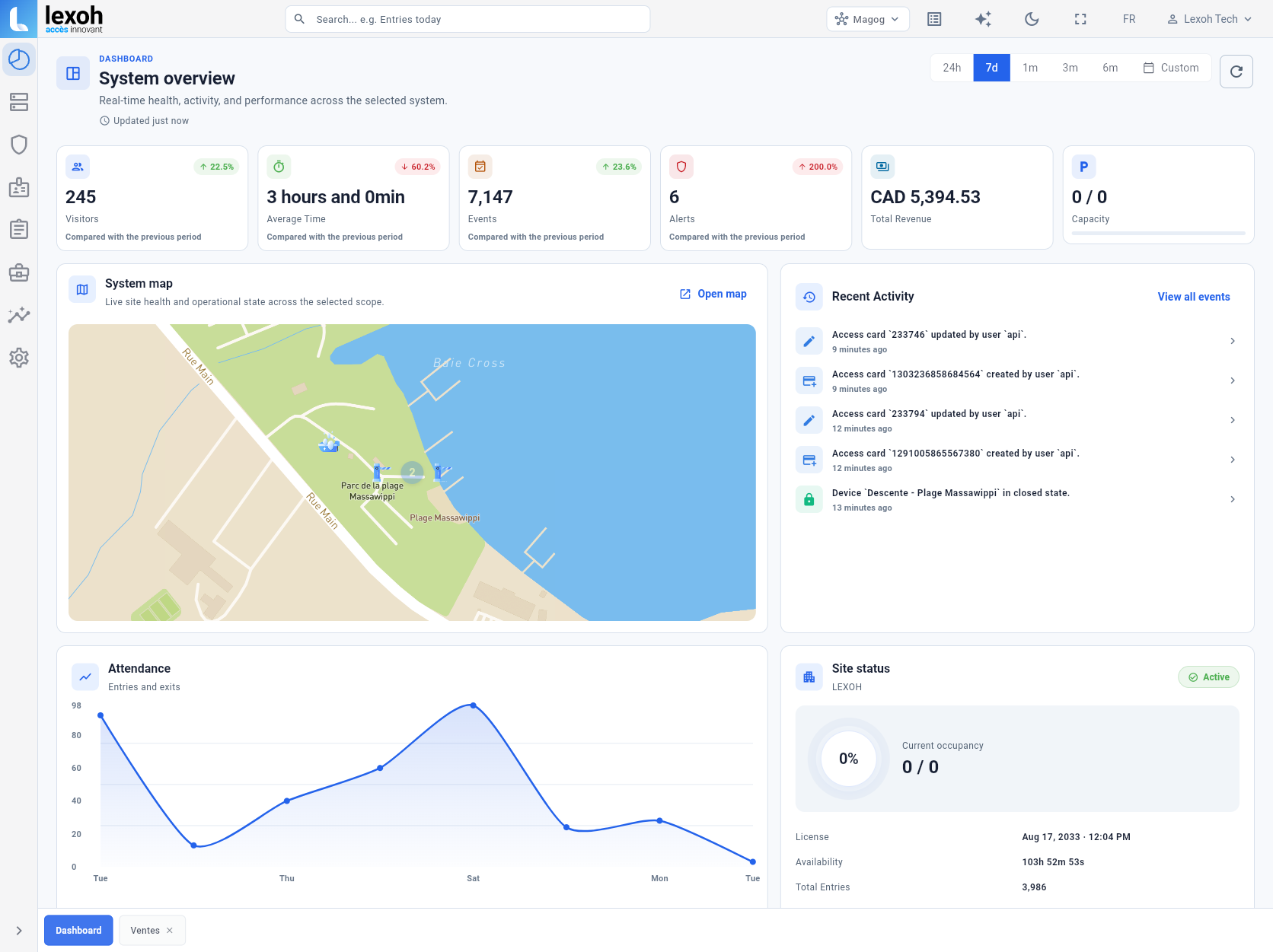
Lexoh Security Center can present configured sites, devices, access records and operational context in one environment. The available functions depend on the deployed equipment, permissions and project configuration.
Lexoh combines cloud management with an offline mesh network that lets site devices communicate without internet. The equipment still needs power and locally available permissions. Test the configured access points and the delivery of permission changes after reconnection; remote management and external services have their own connectivity requirements.
-
Central view
Identify the sites, devices, records and roles that must be visible together.
-
Local behaviour
Document how each controller handles access decisions and events as connectivity changes.
-
Recovery
Document synchronization, conflict handling and operator follow-up after service restoration.
-
Service boundary
Name who monitors, changes, supports and approves each part of the system.
Illustrative operating example
Follow one after-hours request through two buildings.
Imagine an organization with two buildings and an evening cleaning team. A site manager requests a schedule change for Building A while Building B keeps its existing hours. Before comparing hosted and local proposals, define who approves the request, who enters it, which entrances are affected and who verifies the result. The same workflow becomes a useful demonstration for either architecture.
Ask the proposed operator to perform that change with the intended role and representative test credentials. Verify the allowed time at Building A and the unchanged rule at Building B. Then review the available record and the handoff to after-hours support. This shows whether the proposed arrangement fits the operating team more clearly than a demonstration performed entirely with an unrestricted administrator account.
-
Approval
Record the site, entrances, time window and person authorizing the change. Keep a temporary exception separate from a permanent schedule change.
-
Administration
Demonstrate the required action with the intended operator role and selected configuration. Resolve any site or account boundary that the proposed product cannot provide.
-
Follow-up
Name who confirms the result, who handles a rejected credential and how the temporary arrangement ends. Include the local contact if support needs someone at the entrance.
Locally hosted operations
Local hosting is an operating commitment, not only a server location.
A locally hosted design may be appropriate when the organization has requirements or operating constraints that support it. The decision should account for the people and procedures needed to maintain the environment over its life.
Clarify server ownership, software support, monitoring, backups, recovery, security updates, remote access and multi-site connectivity. Local control of infrastructure does not remove these responsibilities.
- Name the team responsible for the application and infrastructure lifecycle.
- Document backup, restore and recovery testing with accountable owners.
- Define secure administrative access for internal staff and service partners.
- Plan upgrades and hardware refresh without interrupting approved access operations.
- Assign responsibility for integration support as applications or dependencies change.
Due diligence
Ask for evidence that belongs to the proposed system.
Security, privacy, availability and integration claims should be supported by the current product documentation, architecture, agreement or third-party evidence that applies to the exact service being proposed.
-
Architecture
Deployed components, data flows, trust boundaries and the documented behaviour of field controllers.
-
Security
Identity, administrative roles, logging, vulnerability handling, encryption scope and customer responsibilities.
-
Data
Location, retention, backup, export, deletion, subprocessors and end-of-contract handling.
-
Operations
Monitoring, support channels, maintenance windows, incident communication and recovery responsibilities.
-
Integration
Documented interfaces, supported versions, data ownership, test environment and change management.
-
Commercial model
A common evaluation term with complete implementation, lifecycle, support and exit costs.
Complete the comparison
Turn the responsibility table into an operating agreement.
For each row in the comparison, record the actual service or component, the party responsible and the document that confirms the arrangement. Separate an owner’s requirement from a supplier’s confirmed commitment. If an integration, export or recovery step is unresolved, name who must answer it before acceptance.
Use the questions below to connect the proposed configuration to the people who will operate it. The migration guide helps you ask about equipment tests and handover; the cost guide helps you clarify what each proposal includes.
-
Check an administrative handover
Use the intended operator role to verify the agreed actions. Record who can change access, manage accounts, review records and approve an export.
-
Record a recovery example
Agree the selected configuration and an installer-approved condition to test. Record the observed local access behaviour, available events, restoration steps and the operator’s final check.
-
Resolve the service boundary
Name the contact for management software, network, controller, physical opening and integration support. Record which team takes the next action when a fault crosses those boundaries.
Project checklist
Questions to ask about the access-control operating agreement
Use these questions to compare the actual cloud or locally hosted proposal. Ask the supplier and your internal team to identify who owns each decision and which document confirms it.
-
Where will the management software run, and who maintains that environment?
Request the proposed hosting arrangement and the responsibilities for servers or hosted services. Confirm the support contact for each part of the system.
-
Who may create credentials, change permissions and administer accounts?
Ask for the intended operator roles and the actions each role may perform. Have shared-building or tenant boundaries demonstrated with representative accounts.
-
What does each controller do when the management connection is unavailable?
Request the documented behaviour for the selected configuration, including access decisions and available events. Ask how that behaviour and service restoration will be verified.
-
Who schedules, applies and checks software and device updates?
Confirm maintenance windows, operator notifications and support responsibilities. Ask how an unsuccessful update is handled under the proposed service agreement.
-
Where is access data kept, who can use it and what can be exported?
Request the applicable hosting, access, retention and export terms. Clarify available formats, authorized roles and the handling of retained copies at the end of the agreement.
-
Which multi-site functions and integrations are actually included?
Ask for the covered sites, interfaces, supported versions and data exchanges. Identify who maintains an integration when an application or configuration changes.
-
Who handles a fault that involves more than one supplier?
Request the escalation path for the management service, network, controller, physical opening and connected applications. Confirm the first contact, covered hours and ownership of the next action.
-
What continuing costs and exit responsibilities apply over the agreed term?
Ask for the billing basis, included support, renewal conditions and planned infrastructure work. Confirm account handover, data access and service responsibilities if the arrangement ends.
Architecture questions
Replace assumptions with project-specific answers.
Is cloud access control always more secure?
No hosting category is secure by definition. Compare the specific architecture, identity controls, update process, logging, data handling, operational practices and shared responsibilities of each proposal.
Will access continue during an internet outage?
Lexoh supports offline operation through a mesh network that allows site devices to communicate without internet. Access depends on powered equipment and locally available permissions. During acceptance, test valid, expired and withdrawn credentials, then check the affected controllers after reconnection. For any supplier, distinguish local access from remote management and external services when comparing outage behaviour.
Which model costs less?
There is no universal answer. Build a comparable model using the actual equipment, implementation, subscriptions or licences, infrastructure, connectivity, administration, support, upgrades, retention and exit requirements over the same period.
Can either model integrate with existing systems?
Potentially. The integration scope needs to identify the source system, required data flow, documented interfaces, supported versions, authentication, ownership and long-term support before the integration is treated as included.
How should data portability be evaluated?
Ask what data can be exported, in which documented format, by whom, at what point in the contract and how retained copies are handled after termination. Include those commitments in the agreement.
How should a migration between hosting models be organized?
Start with an inventory of controllers, credentials, permissions and connected applications. Identify which data and interfaces the destination supports, then agree a pilot entrance, cutover window, acceptance checks and rollback procedure. Keep the current system owner and site operators involved so responsibilities and visitor assistance remain clear during the transition.
Who is responsible for planned software updates?
The proposed operating agreement should identify who schedules, applies and verifies updates to the management service, local infrastructure and field devices. Ask how operators are informed, which functions may be affected and how a failed update is handled. Compare these responsibilities explicitly; the hosting label alone does not assign them.
What information helps support distinguish a door fault from a connection problem?
Provide the site and opening reference, time of the problem, observed physical response and the device status visible to the authorized operator. State whether the problem affects one entrance, several devices or only one management account. Use the agreed support channel to share the relevant record without unnecessary personal details. That context helps the assigned teams investigate; a dashboard status alone does not establish the cause of a physical fault.
How should changes made during an interruption be checked after service returns?
Keep a record of authorized changes requested during the interruption and identify which were confirmed, deferred or left unresolved by the selected system. After restoration, have the responsible operator reconcile that list against the agreed configuration and verify the affected credentials or schedules through the approved test process. The supplier must define the actual change and recovery behaviour; do not assume that submitting a change means every controller has applied it.
References and further reading
- LEXOH role and permission documentation
Use the documented role controls to define and test the intended operator responsibilities.
- LEXOH device management
Device status and operating context for the selected equipment.
- LEXOH access-card settings
Credential validity, zones and schedules for the operating examples.

Review the operating model
Bring the doors, responsibilities and required integrations to the same table.
Lexoh can help document the physical scope and operating boundaries before the team chooses an architecture.
Discuss the access project